Monday, April 22, 2019

7 Inspiring Brand Activations to Help You Launch Your Own

One of my favorite themes from the critically-acclaimed show Mad Men is that 1960’s advertising was based off the half-truth that you would be happier if you owned more material possesions.

At the beginning of the series, the show’s main adman, Don Draper, passionately believes in this notion. It helps him sell whatever he advertises and it’s also the concept he molds his life around. Not only does Don sell the lie of money, status, and material items being the keys to happiness, but he also lives it.

By the end of the series, though, Don realizes materialism can only bring him so much joy. Real happiness stems from living his life to the fullest, forging genuine relationships with his loved ones, and staying true to himself.

Mad Men taught people a powerful lesson about the pursuit of happiness, and today, psychologists and neuroscientists want to do the same.

Thomas Gilvich, a psychology professor at Cornell University, urges people to prioritize experiences over material possessions because that’s what actually leads to happiness.

To explain further, while you can attach material items like your new iPhone or car to your identity, these objects eventually lose their allure. Eventually, you’ll throw them away to replace them with the newest, trend-setting product. So if you really think about it, material items can never really be apart of your true identity.

On the other hand, you’re the sum of your experiences, so they’re ingrained in your identity. Sharing experiences with people also has a special ability to forge close relationships. Even if experiences end like your relationships with material objects do, they’ll always be a part of your story, allowing you to bond with other people who’ve shared similar experiences.

In marketing, engaging your target audience in experiences is one of the best ways to resonate emotionally with them. And some of the most memorable experiences you can host are called brand activations. 

Brand Activation Examples

1. Vitamin Water | Brandon

I usually don’t pay much attention to subway ads, but Vitamin Water’s “Brandon” was so funny, it literally made me laugh out loud, get out of my seat, and take a picture of the ad.

But what I witnessed a few weeks later is arguably even more hilarious. When I was walking around Boston one Sunday afternoon, I strolled past Forbes’ Under 30 Summit and saw a guy holding a sign that said, “Need Handshaking Tips?”.

This guy seriously seemed like he was trying to give handshaking tips to the attendees of the event, but I needed to see for myself. When he told me what his handshaking service truly was about, though, I snorted out loud.

The guy was a part of Vitamin Water’s “Brandon” marketing campaign -- the one I saw a subway ad for a few weeks back. There were also other members of the campaign, handing out Brandon’s business cards, some swag, and even bottles of Vitamin Water.

The funniest (and most impressive) part of the “Brandon” marketing campaign, though, was that the members acted like they actually worked for Brandon. No matter how many times I prodded them about working for Vitamin Water, they stuck to their act.

Vitamin Water’s “Brandon” campaign resonated with so many people because instead of just giving subway riders a quick laugh on their way to work, they made the extra effort to interact with their target audience and bring the ad to life. To make things even more personal, Brandon accepts all of his LinkedIn requests.

2. InVision | Design Disruptors Documentary

In 2016, InVision, a digital product design platform, embarked on a creative journey that no other B2B brand has ever stepped foot toward -- they made a documentary. But crafting a feature-length film that could honestly list on Netflix wasn’t the most impressive accomplishment in this creative journey. It was actually their distribution strategy.

Instead of uploading their documentary to every digital platform possible, InVision stuck to the fundamentals of film -- they ran four red carpet premieres, which each attracted over 1,000 attendees. They also set up independent community screenings where organizations can sign up to show the film to their design team or special interest group. By November 2017, InVision had ran over 1,500 independent community screenings across the world.

By crafting a refreshingly creative piece of art and innovating on the typical distribution playbook most B2B brands use, InVision was able to drive over 70,000 leads, connect with industry leaders that they’d never have access to otherwise, and develop relationships with the design team leads at huge brands like NBC.

3. HBO | SXSWestworld

To promote the second season of their hit show Westworld, HBO built a miniature replica of the show’s Wild-West-themed amusement park in Austin, Texas for attendees of SXSW 2018 to explore.

With over 40 “hosts” who guided attendees on their own unique narrative within Sweetwater, the attendees felt like they were actually in an episode of Westworld, traversing a town full of trotting horses, troublemaking bandits, and money-hungry gamblers.

The park also contained clues of season two’s storyline and new characters, which helped generate a ton of suspense and anticipation for its upcoming premiere.

4. Charity Water | Waterwalk

Image Credit: Huffington Post

Charity Water, an organization that creates clean water sources for remote villages in developing nations, gave attendees at a trade show an experience they will always remember.

By setting up a booth where guests could carry two 40 pound jugs of water across a 50 yard platform, which African villagers do for miles every single day, attendees realized how challenging it is for villagers in developing nations to access something that most people can obtain with the twist of a faucet, boosting the odds that attendees would donate more money to the cause.

5. Nordstrom | Merchandise-free Shops

Image Credit: Retail Dive

Nordstrom is famous for their luxury merchandise, but in 2017, they decided to set up special shops that only sell experiences. By providing styling, makeover, and sampling services, Nordstrom can pull their customers into delightful, memorable experiences that make much more of an emotional impact than buying a product. These experiences also make for a compelling story that consumers will always remember and be more than happy to share with one another.

6. Netflix | Altered Carbon at CES

At CES 2018, Netflix designed one of the most popular booths at the event. But it didn’t showcase the inner workings of their recommendations algorithm or their process for green lighting shows. It actually spotlighted a concept their show Altered Carbon revolves around -- immortality.

In their booth, fictional employees from Psychasec, the company that offers transfers of their clients’ consciousness to new bodies, or “sleeves”, in Altered Carbon, pitched the benefits of their service and even displayed some models of their sleeves.

Netflix deeply immersed CES’ attendees in the narrative of their hit sci-fi show, and it made them feel like they could actually live forever -- if only Psychasec’s service was real.

7. CALM | Project 84

In the U.K., suicide is the number one cause of death of men aged 18 - 45. CALM, a suicide prevention charity, decided to spread awareness for the issue by creating 84 life-size sculptures of hooded-men, which is the the number of men who take their own lives every week in the U.K., and placing them on top of one of U.K.’s top TV network’s building.

Every sculpture is unique and tells the story of a real person who committed suicide. And to produce as much publicity for male suicide prevention as possible, ITV, the TV network CALM partnered with, agreed to air the campaign on their morning show and dedicate three days of programming to male suicide. The campaign also promoted a petition that urges the government to take suicide more seriously and take greater action to help solve the urgent issue.

25 of the Best WordPress Plugins for Marketers (es-la)

Did you know there are over 56,000 WordPress plugins available today?

WordPress plugins allow you to enhance your website's functionality by adding features and capabilities that don't come standard with the system.

From writing tools to SEO tips to analytics, WordPress plugins will help you arrive at any solution you're seeking, all while keeping your website as speedy as possible and saving you time along the way, too.

But with so many options available, it's tough to figure out the best ones to use.

That's why we've done the work for you.Use HubSpot tools on your WordPress website and connect the two platforms without dealing with code. Click here to learn more.Below you'll find a list of the 25 best WordPress plugins (not in any specific order) that every marketer should explore.


These 25 plugins have been reviewed by some of the top marketers in the industry. They'll also keep both you and your WordPress website running efficiently and effectively. If you want more, check out the official WordPress plugin page.

1. HubSpot Contact Form Builder and Conversion Tools

HubSpot-contact-form-builder-wordpress-plugin

Source: WordPress

HubSpot's drag and drop form builder allows you to easily build contact forms to use on your WordPress website. The plugin also includes a pop-up creator, live chat widget, contact database, and previously-written code for you to simply copy and paste into WordPress.

HubSpot's Contact Form Builder plug-in is unique because it's an all in one plugin — it helps you stay efficient by keeping all of its features in a single location. Christine Kilbride of Majux Marketing says having a large number of "plugins can slow down your site." But because HubSpot provides everything in one plugin, the tool keeps your site fast and responsive.

2. The SEO Framework

the-seo-framework-wordpress-plugin

Source: WordPress

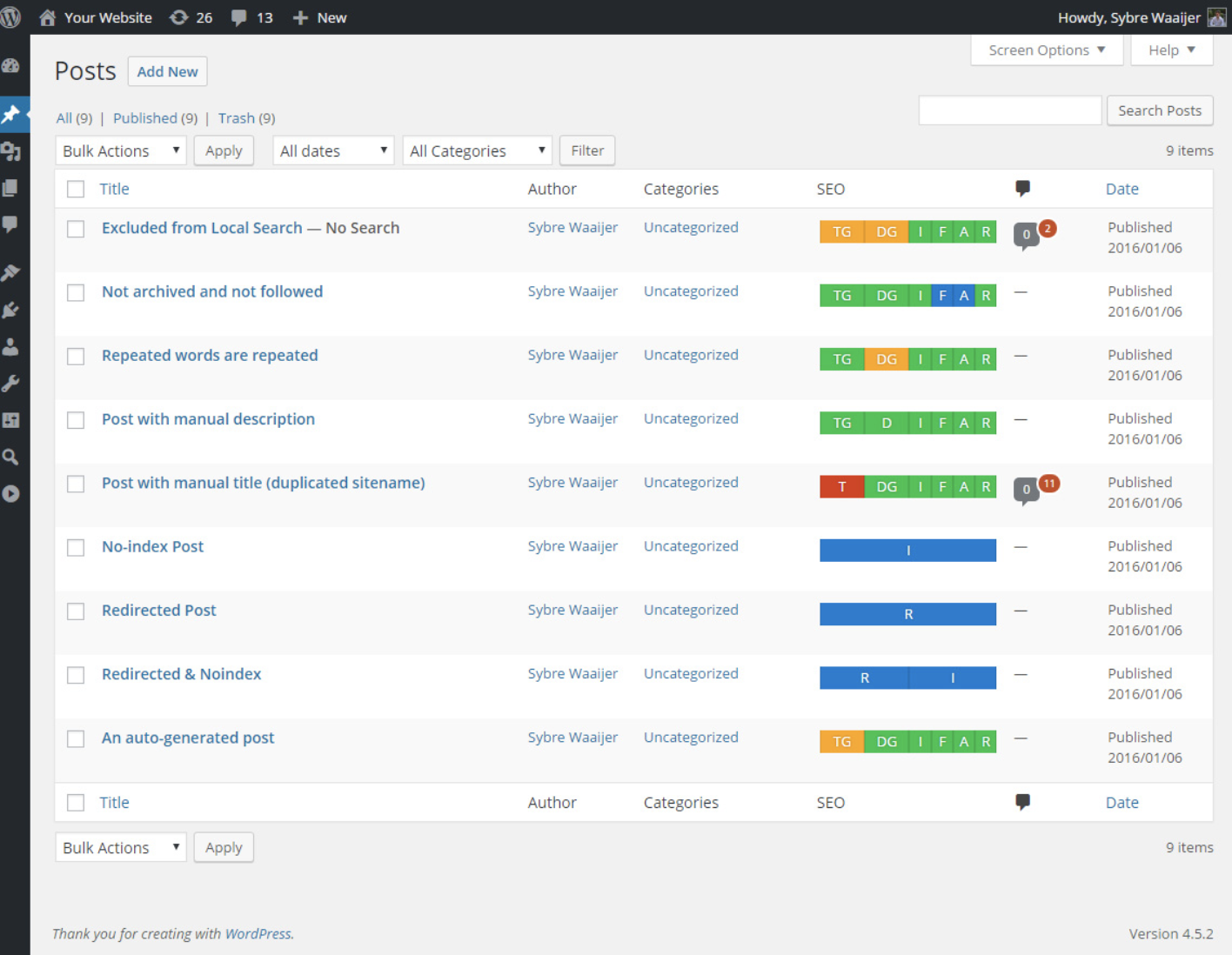
With The SEO Framework, your website's search rankings will improve drastically with the help of the plugin's numerous, automatic optimization features. These features have the ability to optimize every page, post, and term on your website so it is not only easier to find on the internet, but it is also more searchable on all social sites such as Facebook and Twitter. No matter if you're new to SEO or an expert in API, The SEO Framework will help you optimize your website.

3. Jetpack

jetpack-wordpress-plugin

Source: WordPress

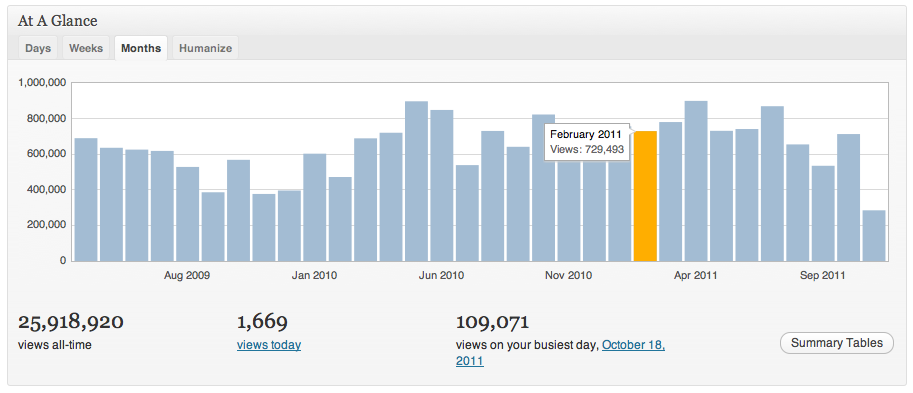
Jetpack is an all-in-one WordPress plugin that offers advanced features such content tools, mobile themes, and more. You can take advantage of all of Jetpack's features to enhance your website, or pick and choose just what you want to activate based on your unique needs. Some of these features include automated social media posting, site statistics and analytics, and different SEO tools to help you measure and promote your website success.

4. Just Writing

just-writing-wordpress-plugin

Source: Just Writing

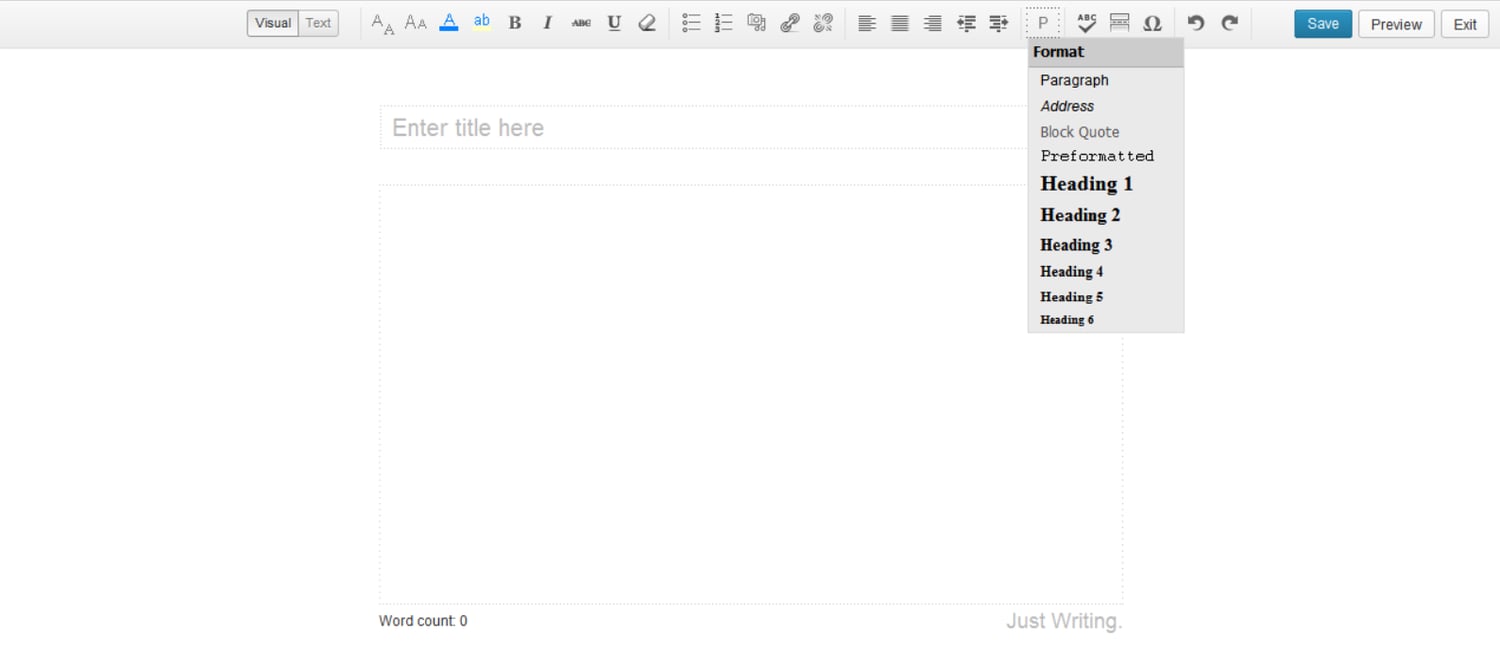
Just Writing takes WordPress' Distraction-Free Writing Mode (DFWM) to a whole new level. This plugin introduces important features like spellcheck and paragraph styling to help you focus on your words without having to constantly drop out of DFWM to implement basic formatting.

5. Pretty Link

pretty-link-wordpress-plugin

Source: Pretty Link

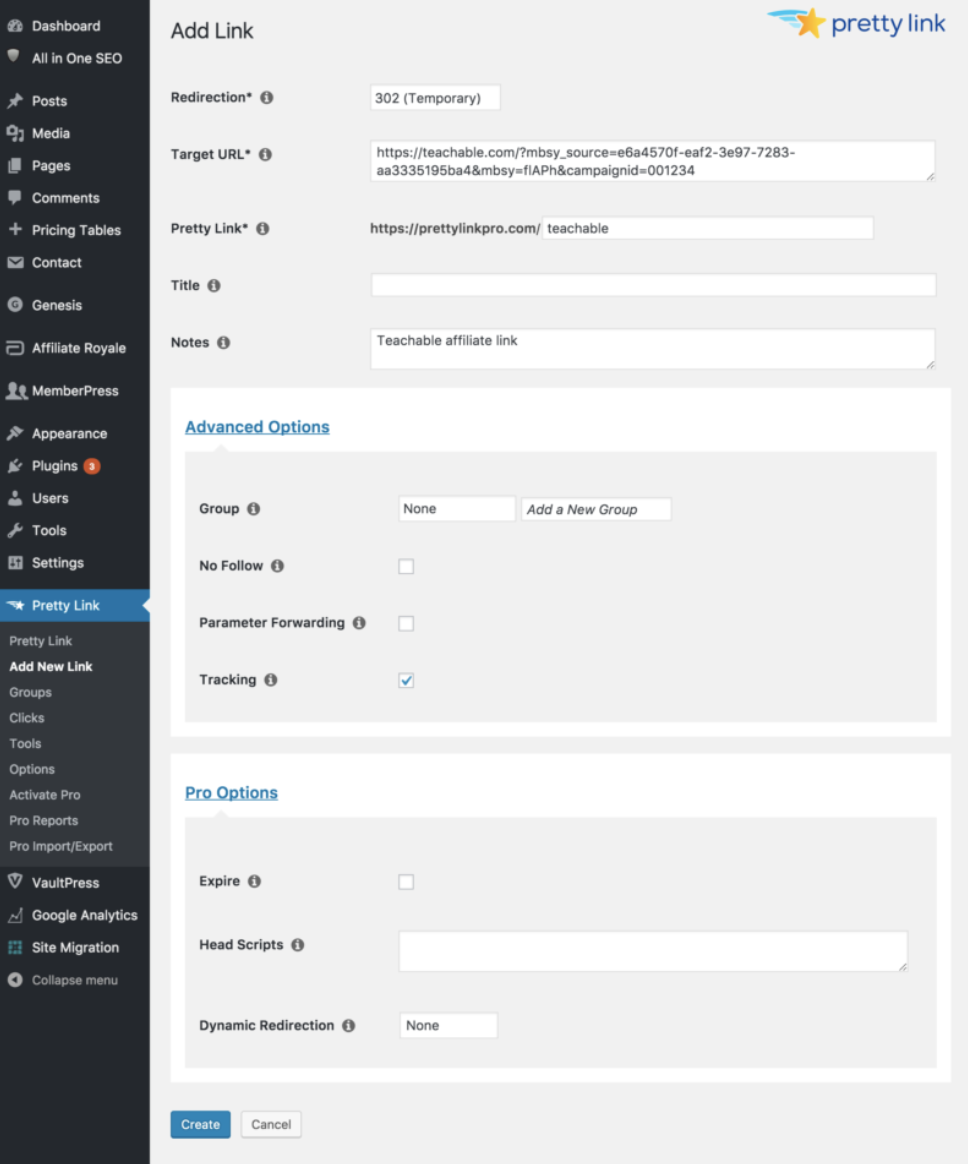
Pretty Link makes it easy to manage and track your internal website links. You can shorten links (the way you would on a site like bit.ly), track the number of hits to a link, discover traffic sources, and find out the browser and host provider of your site visitors. You can also use the plugin to easily create redirects (301, 302, and 307s). 

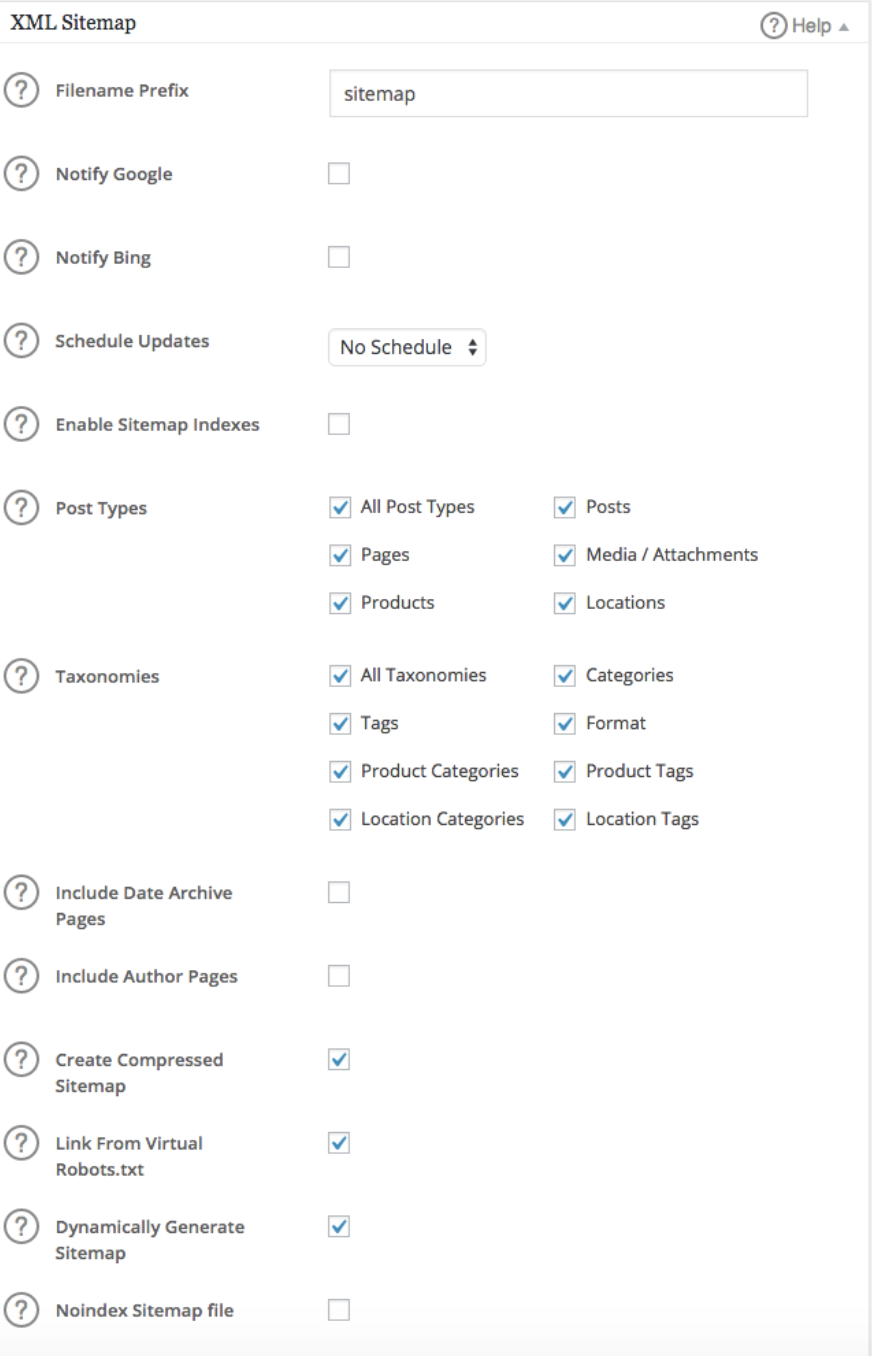
6. Google XML Sitemaps

google-xml-sitemaps-wordpress-plugin

Source:  WordPress

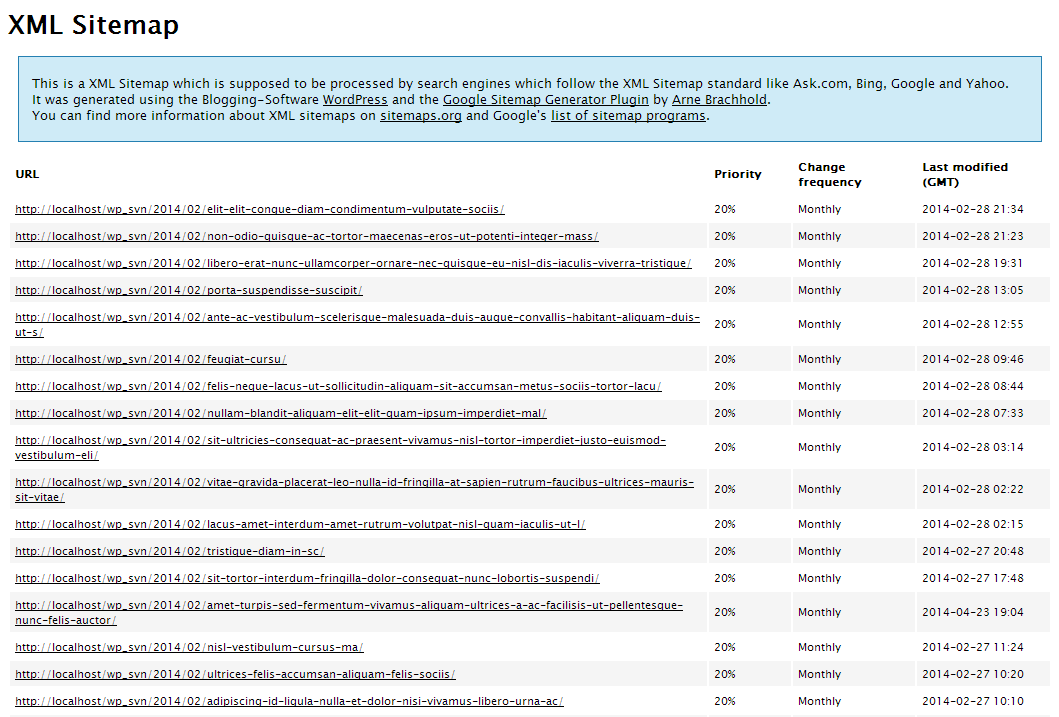
The Google XML Sitemap plugin makes it easier for search engines, like Google and Yahoo, to crawl your site and retrieve information. It will also notify search engines when you create new content so you don't have to manually submit changes to search engines.

7. Pixel Caffeine

Pixel-caffeine-wordpress-plugin

SourceWordPress

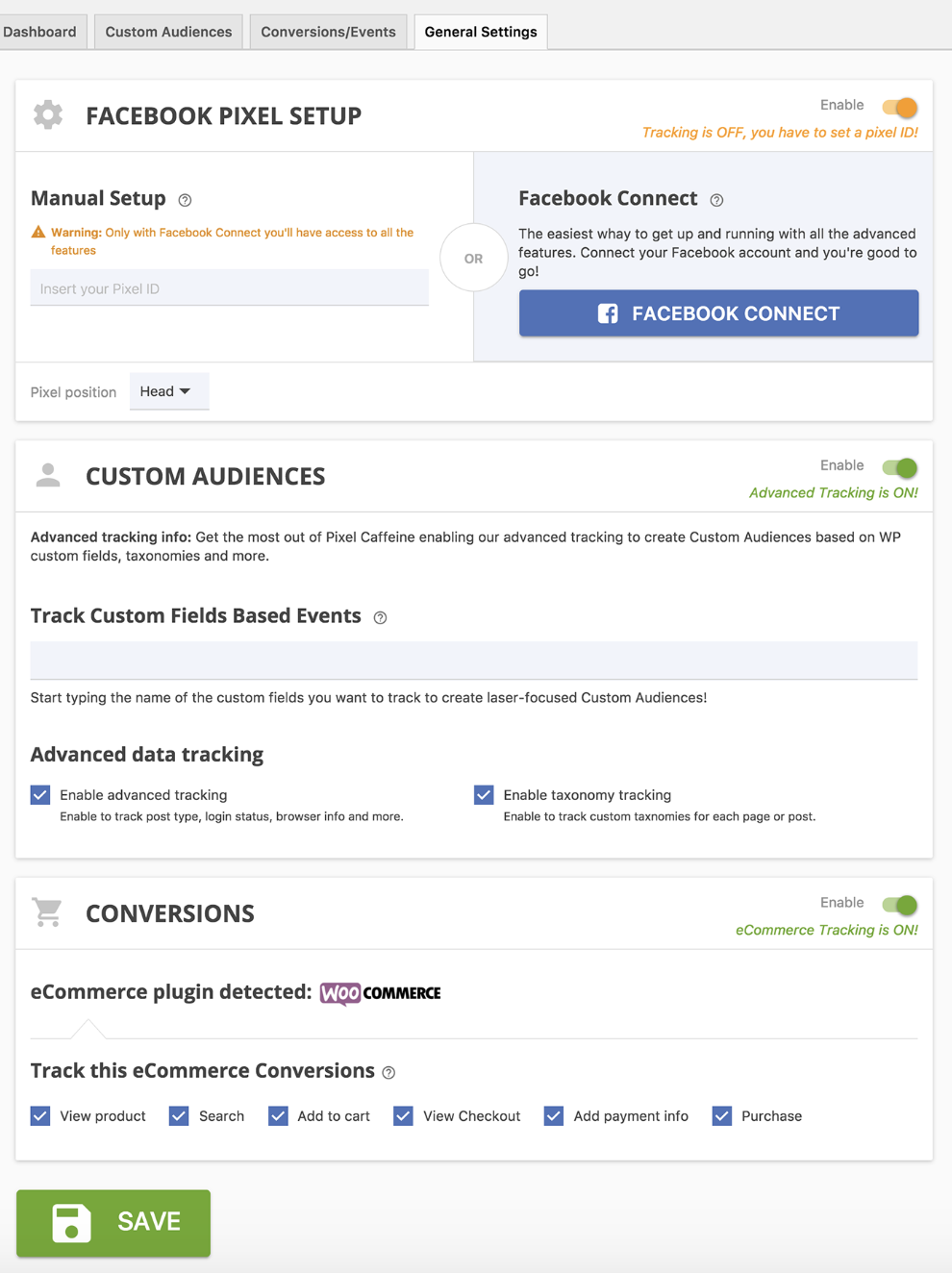
Pixel Caffeine allows you to manage Facebook Pixel and Facebook Product Catalog all within the plugin. Tony Capetola of Sales Orders says Pixel Caffeine is a great plugin because "marketers can make use of some more advanced features like the ability to track Facebook Ad conversions within WordPress's dashboard, the ability to create custom audiences based on last visit time (retention window), WordPress taxonomies (categories, tags, etc.), and previous customers behavior (works with WooCommerce), etc."

Added bonus: Pixel Caffeine automatically keeps up with Facebook's latest updates so you don't have to.

8. Broken Link Checker

broken-link-checker

Source: WordPress

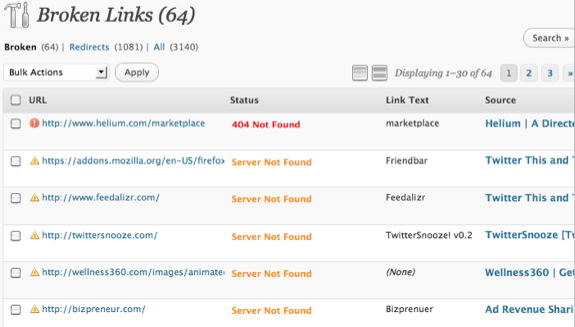
Want to prevent Google from following broken links on your website? Broken Link Checker parses your posts to identify broken links and notify you when they surface. To save you time, the plugin makes it easy for you to edit a broken link from the plugin page, eliminating the need to manually go into each post to make changes.

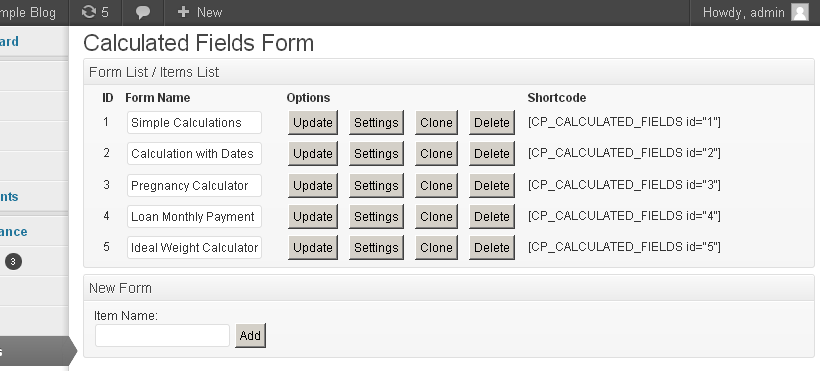
9.  Calculated Fields Form

Calculated-fields-form-wordpress-plugin

Source: WordPress

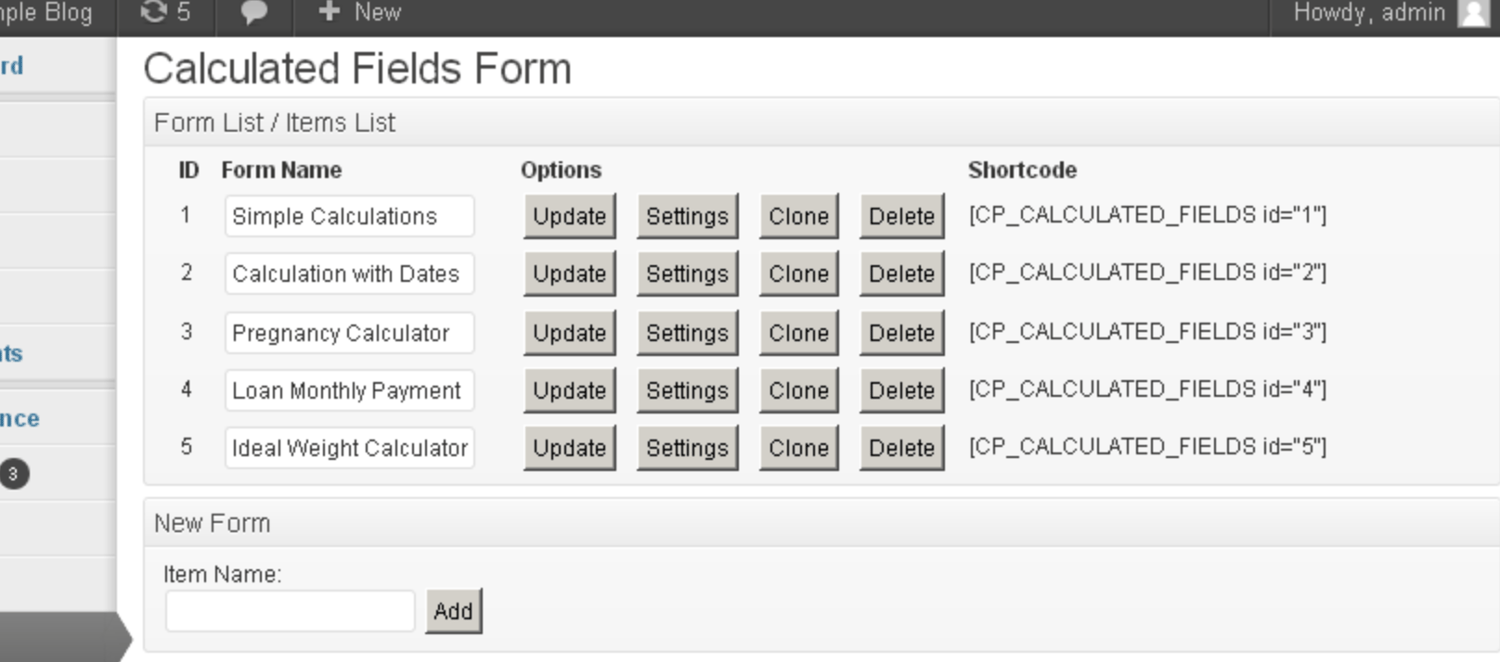
"[Calculated Fields Form] allows you to create simple calculators for your WordPress site. You can easily build finance calculators, quote calculators, booking cost calculators, health/ fitness calculators, and other link-worthy tools," says Roy Harmon of Advertoscope.

With this plugin, you can also create forms with automatically calculated fields and use predefined form templates that will save you time and ensure accuracy.

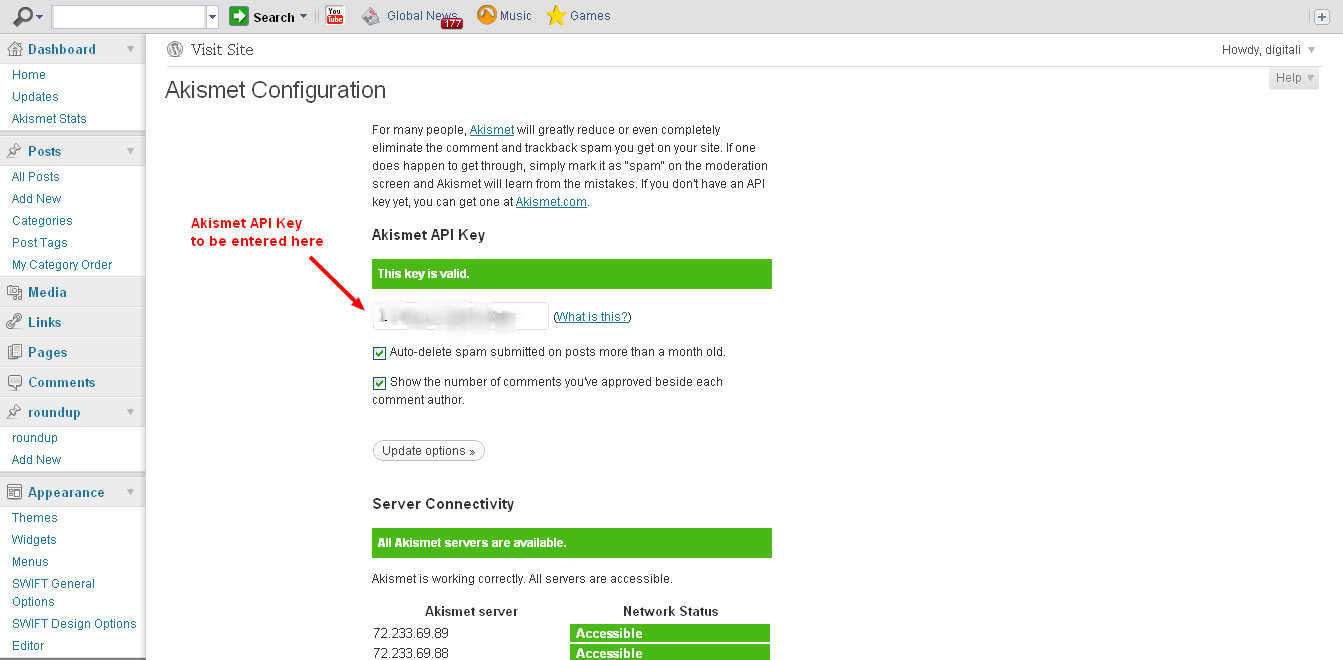
10. Akismet

akismet-wordpress-plugin

Source: Spider My Web

Akismet helps you avoid (and eliminate) spammy comments on your blog. The plugin automatically reviews and filters comments when it detects any signs of spam. You can easily keep tabs on which comments are caught or  filtered to maintain control over what's being displayed on your site.

11. All in One SEO Pack

all-in-one-seo-pack-wordpress-plugin

Source: WordPress

All in One SEO Pack helps you optimize your WordPress website for organic search. The plugin works for people with varying levels of SEO experience, from the non-technical to the coders.

Kim Smith of GoodFirms says, "The plugin supports content as well as image XML sitemap while providing advanced canonical URLs. It supports key Google SEO tools such as AMP and Analytics and notifies search engines about the updates and changes".

The plugin has XML sitemap and image XML sitemap support (which is what informs Google about the URLs on your website that are available for crawling), and it also provides you with support in other areas including Google Analytics and custom post types, which is helpful for marketers who are working to measure the success of their campaigns or SEO work and goals.

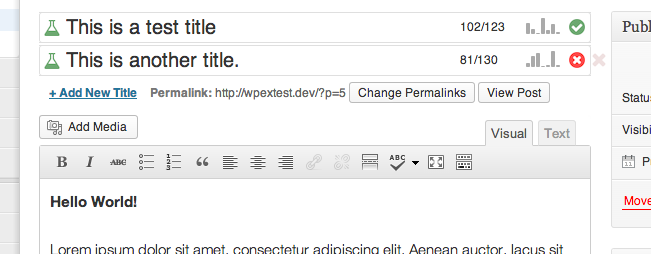
12) Title Experiments

title-experiments-wordpress-plugin

Source: WordPress

The title of a blog post has a direct impact on click-through rates (CTR). Title Experiments makes it easy for you to A/B test one title against another so you can track what converts best and increase your CTR.

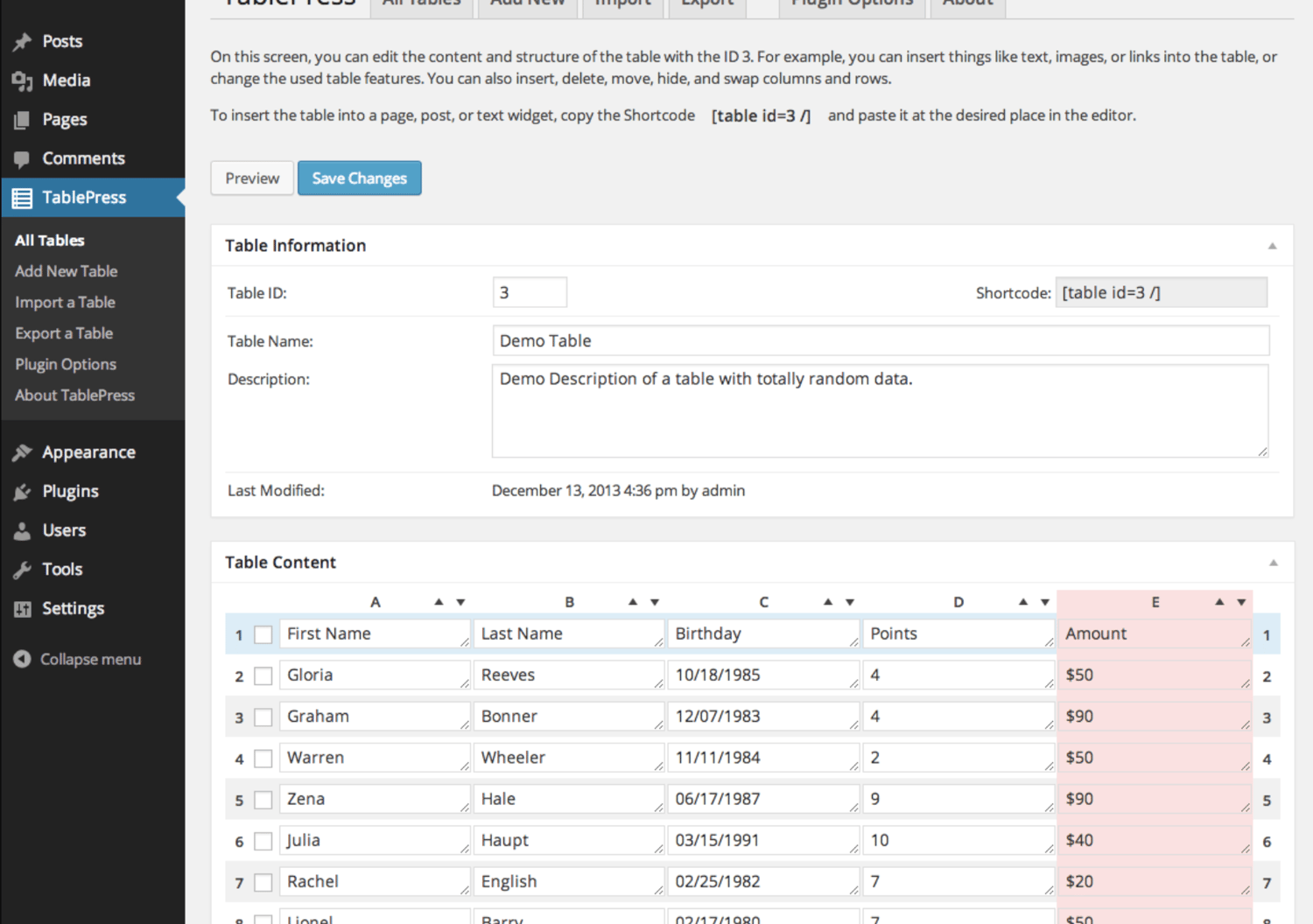
13. TablePress

tablepress-wordpress-plugin

Source: WordPress

TablePress is a plugin that helps you create, customize, and embed beautiful and unique tables on your WordPress site. Your tables can include all types of data and be placed anywhere on your website. Swadhin Agrawa of DigitalGYD.com says, "TablePress makes it insanely easy for anyone to create a customizable and responsive table on their blogs."

14. Editorial Calendar

editorial-calendar-wordpress-plugin

Source: WordPress

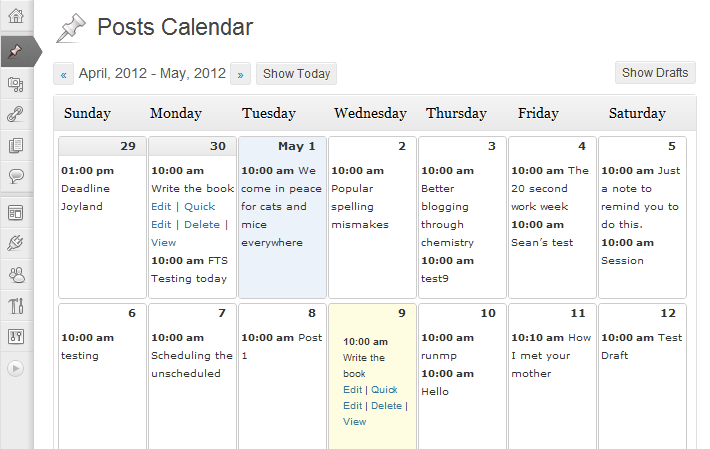
Keep your blog organized with the help of this plugin. Editorial Calendar uses a drag-and-drop functionality to simplify the way you schedule and manage your blog content. You can also manage posts from multiple authors, quickly edit titles and publishing times, and manage drafts within the plugin.

15. TinyPNG

Tiny-png-wordpress-plugin

Source: TinyPNG

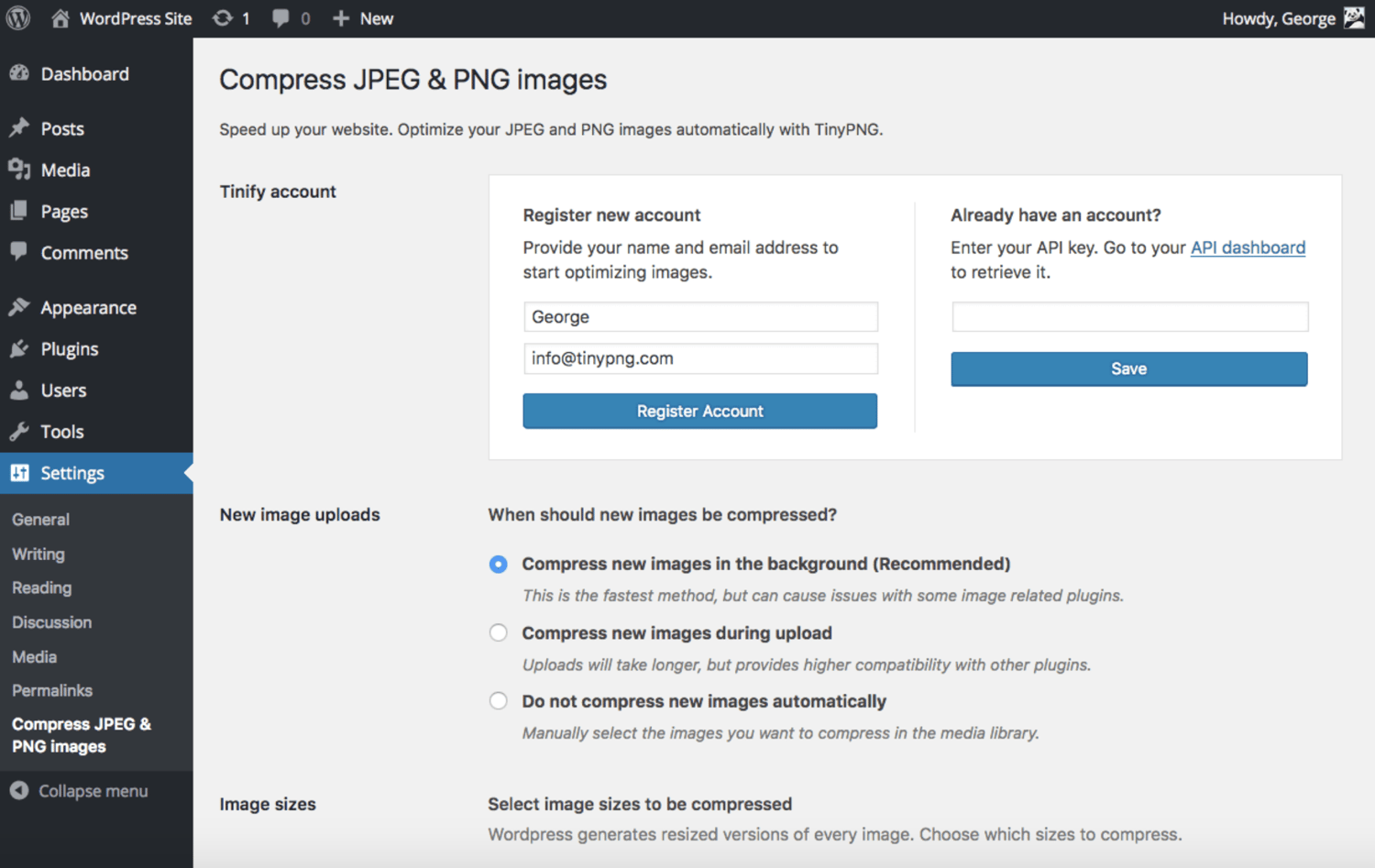
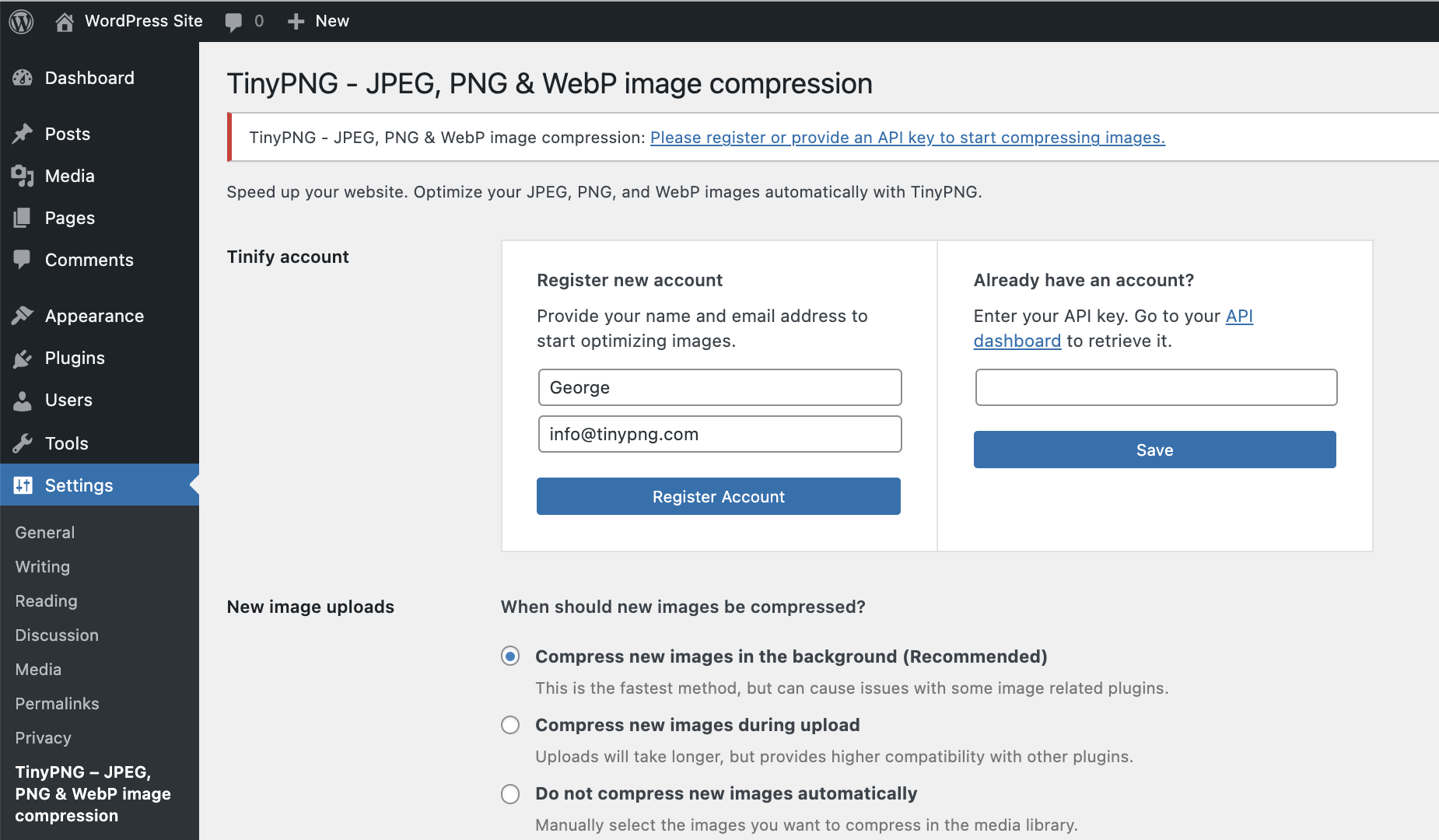
"This free plugin allows you to quickly compress images so they load faster. This is important for SEO value and ensuring people don't bounce off your pages due to slow load times,"  says Todd Kunsman of EveryoneSocial.

TinyPNG will make your website faster by automatically optimizing your JPEG and PNG images upon upload, renaming them to TinyPNG and TinyJPEG. Images are analyzed, and then the plugin compresses them appropriately. Once this happens, the image is then sent back to your WP website to replace the original image. The plugin will make your website load faster while saving you storage space.

16. Smush

smush-wordpress-plugin

SourceWordPress

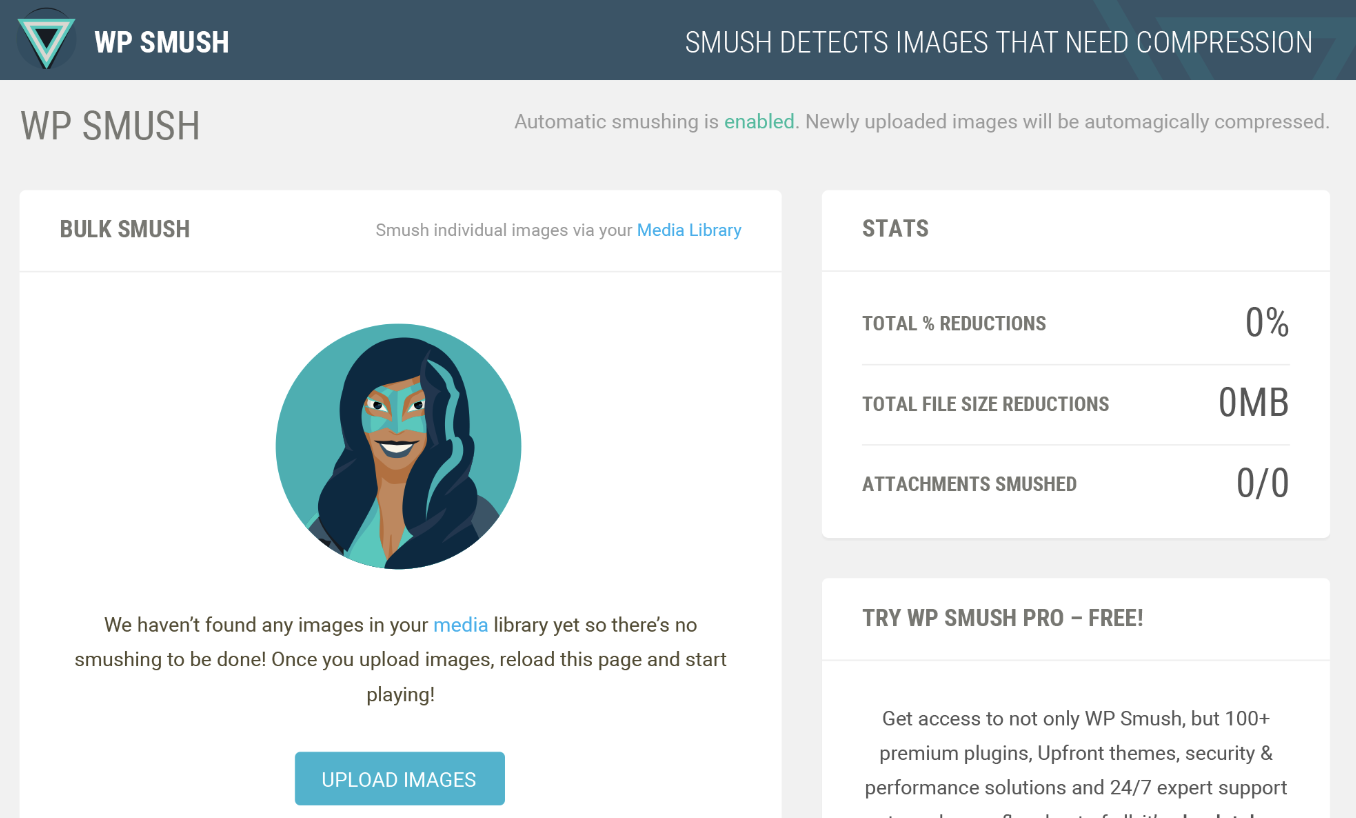
"Smush quickly compresses and optimizes images in bulk, letting you focus on other things," says Izaak Crook of AppInstitute. Smush servers do all of the work for you, meaning your images will remain high-quality while reducing their file size. This frees up space on your server so your website will be significantly faster.

17. W3 Total Cache

w3-total-cache-wordpress-plugin

Source: WordPress

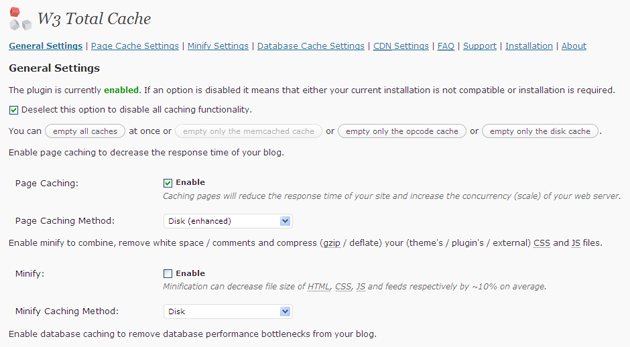
Looking to improve the performance of your website? This optimization plugin helps all marketers deliver a better user experience by increasing server performance, reducing load times, and providing CDN integration (which increases your website's performance and decreases loading time to enhance user experience).

18. Imsanity

imsanity-wordpress-plugin

Source: Imsanity

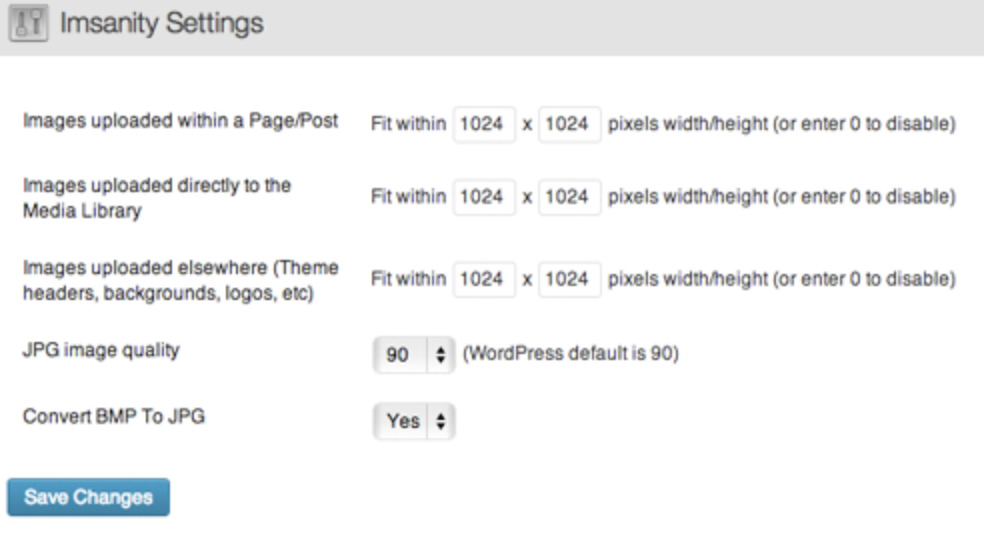
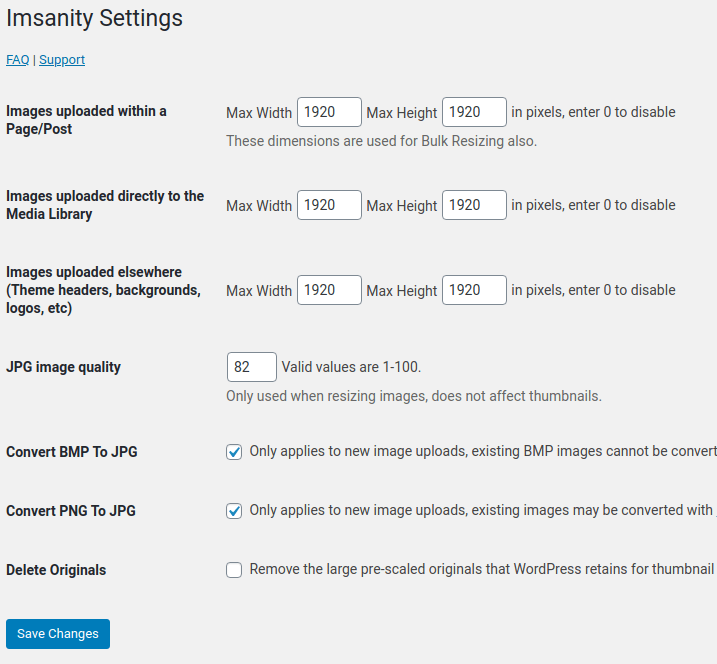
"Imsanity is a popular, free WP plugin for managing image file size. It automatically resizes images without loss of quality and saves you from having to manually scale them before upload," says Marina Dolcic of MorningScore.

The Imsanity plugin matches the size of your images with the display in a browser. It resizes previously uploaded images by automatically scaling them down and replacing the original images with the new versions, which saves you time as all of the work is done for you.

19. OptinMonster

optinmonster-wordpress-plugin

Source: WordPress

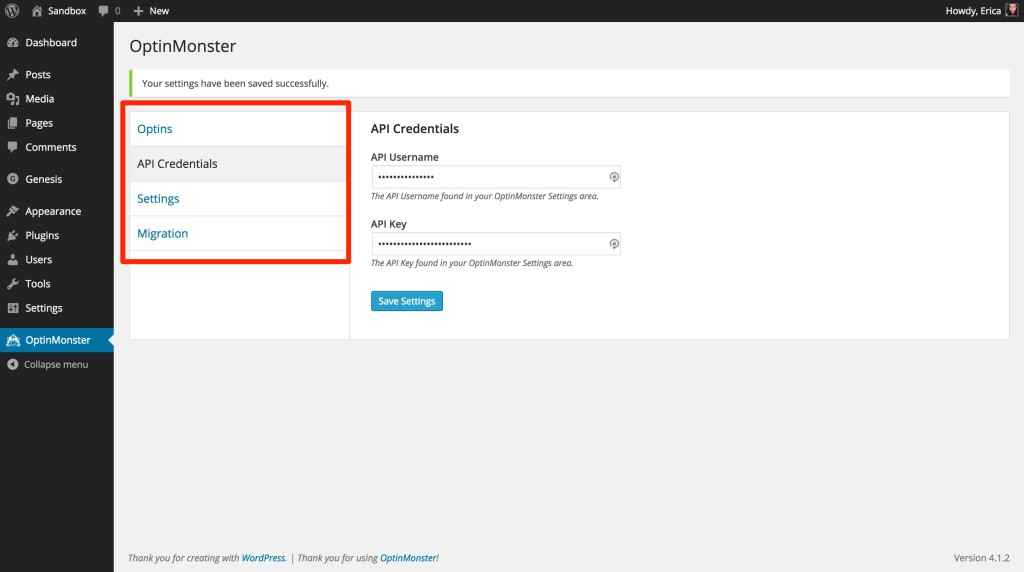
Looking to grow your email list? This plugin comes with an easy-to-use form builder to help you create opportunities for your visitors to convert. From popups to slide-ins to sidebar forms, OptinMonster offers a variety of different templates for lead generation forms. The plugin also integrates with several email marketing providers, such as MailChimp, HubSpot, AWeber, Infusionsoft, Constant Contact, and Campaign Monitor.

20. Revive Old Post

revive-old-post-wordpress-plugin

Source: WordPress

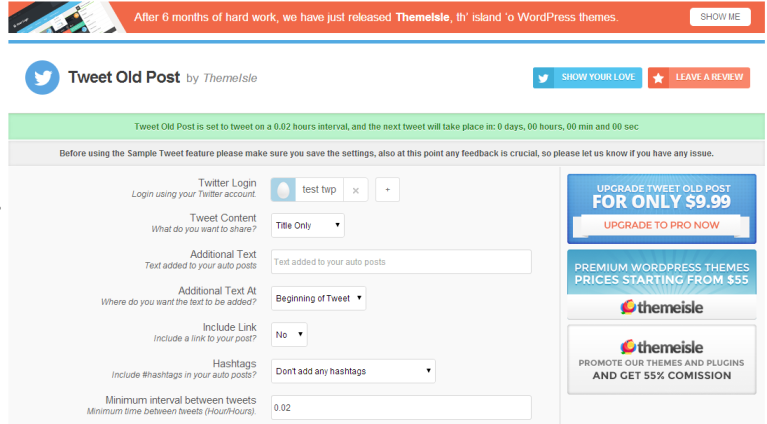
Formerly known as Tweet Old Post, this plugin helps marketers extend the life of their old social posts by automatically re-sharing them to social networks, including Twitter, Facebook, and LinkedIn. You have the ability to schedule posts and manage multiple accounts so you can easily drive more traffic to your content.

21. Head, Footer and Post Injections

Header-footer-post-injections-wordpress-plugins

Source: WordPress

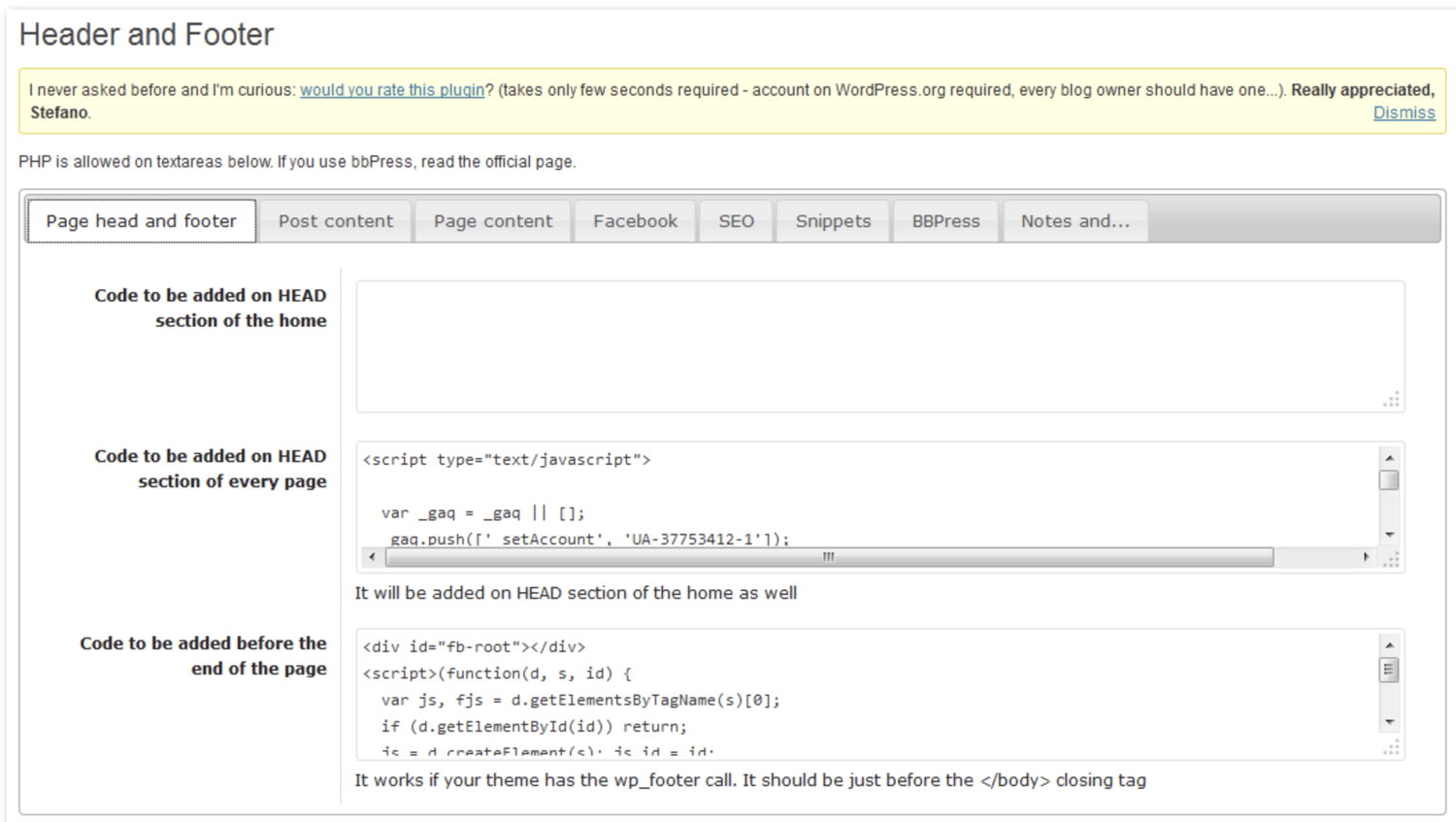
Most WordPress users end up needing to use several plugins — some people even use dozens. Head, Footer and Post Injections is a plugin that allows you to copy any unique code that you use for other plugins, keep it in a centralized and organized location, and easily insert it wherever needed. The plugin is theme-independent, meaning you'll never lose your data (no matter how many times you change your website theme).

22. Google Analytics by Monster Insights

google-analytics-moster-insights-wordpress-plugin

Source: WordPress

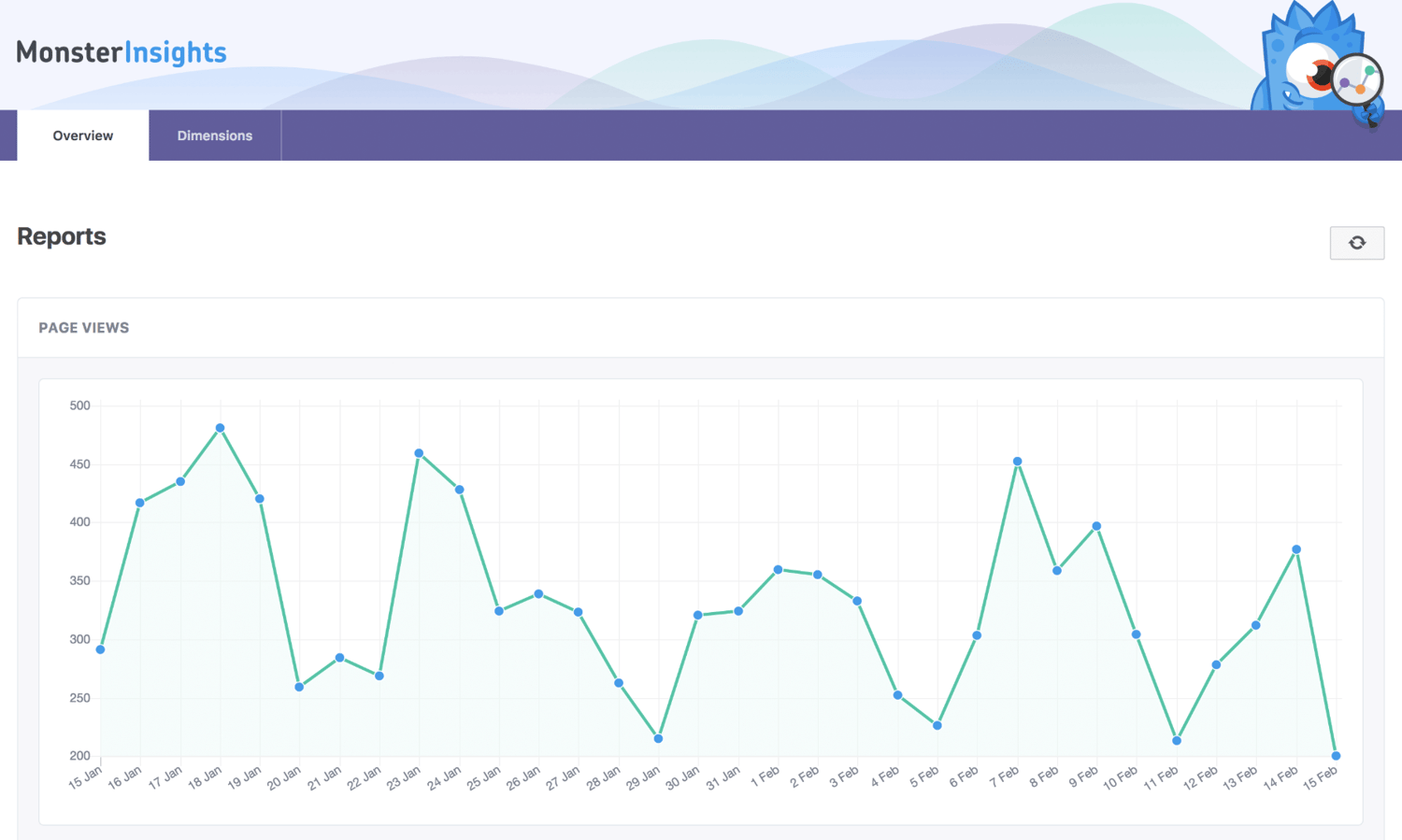
This plugin uses an API with Google Analytics that makes it easy for you to track the performance of your blog directly from your WordPress account. With added data for search result pages and error pages, Google Analytics by MonsterInsights makes performance reporting easy.

23. Redirection

Redirection-wordpress-plugin

Source : Redirection

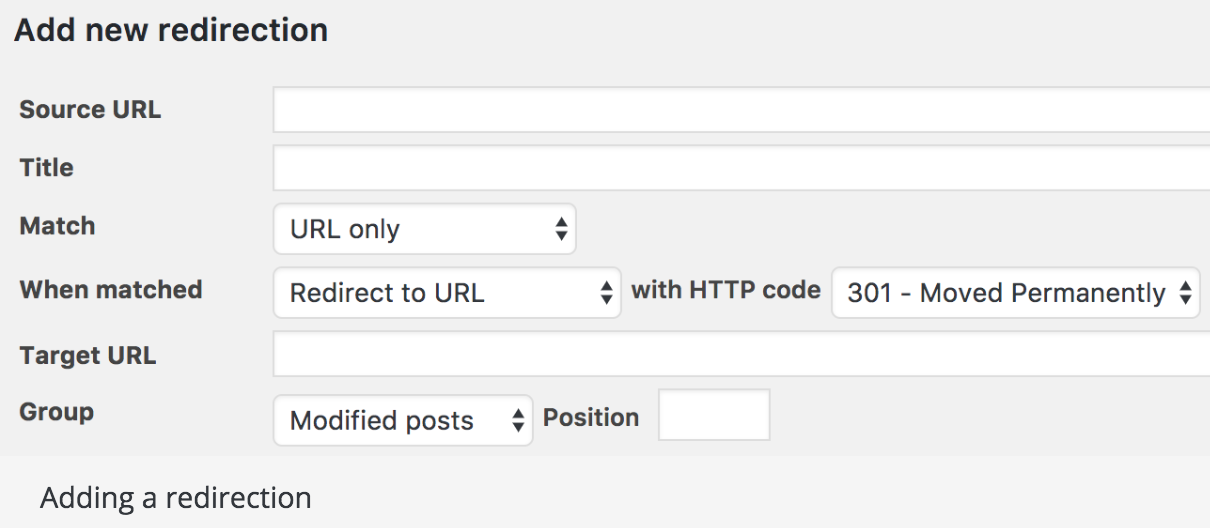
Redirection is a free redirect manager that allows you to set up your 301 redirects and manage 404 errors. There is a logging feature so you can see all of the redirects on your site as well as information about each visitor that is redirected.

24. Yoast SEO

yoast-seo-wordpress-plugin

Source: Yoast

Yoast is your all in one SEO plugin.

"This highly effective WordPress plugin makes the process of delivering SEO improvements on a site much easier," says Sean Flannigan of coolblueweb.

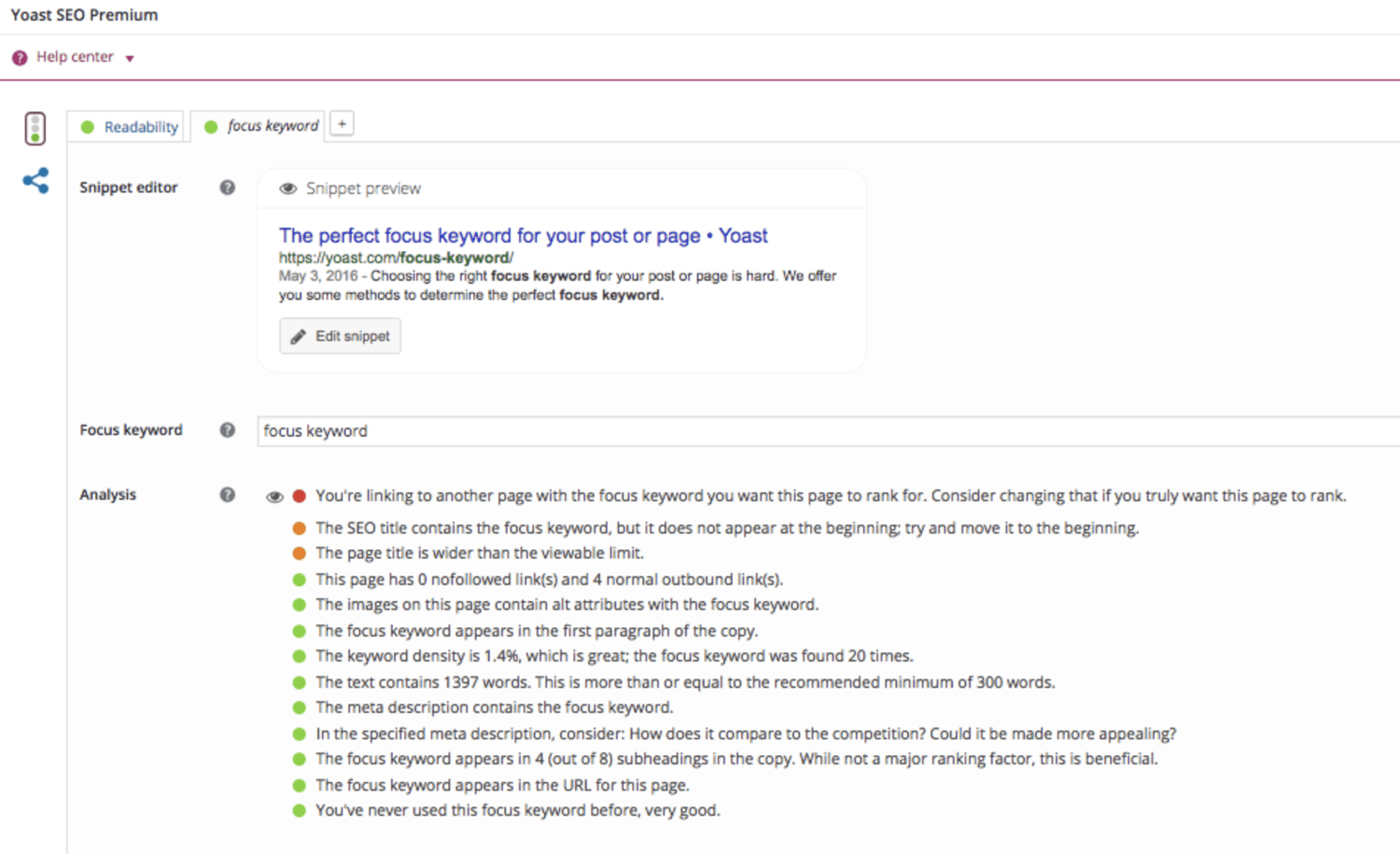
Yoast helps you get the most out of your website SEO with straightforward XML Sitemaps, breadcrumb navigation control, content analysis, snippet previews, and several integrations that show you how your website performs in different search engines. Nicolas Straut of Fundera, says, "This plugin identifies and suggests solutions for potential SEO problems in your content, identifies what you've done well and helps you easily edit your snippet, keywords, and other post details."

25. Autoptimize

Autoptimize-wordpress-plugin

SourceStackPath

"[Autoptimize] makes it easy for non-technical marketers to make their sites lightning fast. We all know how important it is to have a fast website — without it, our Google rankings suffer and potential customers will go somewhere else," says Jon Nastor of Hack the Entrepreneur.

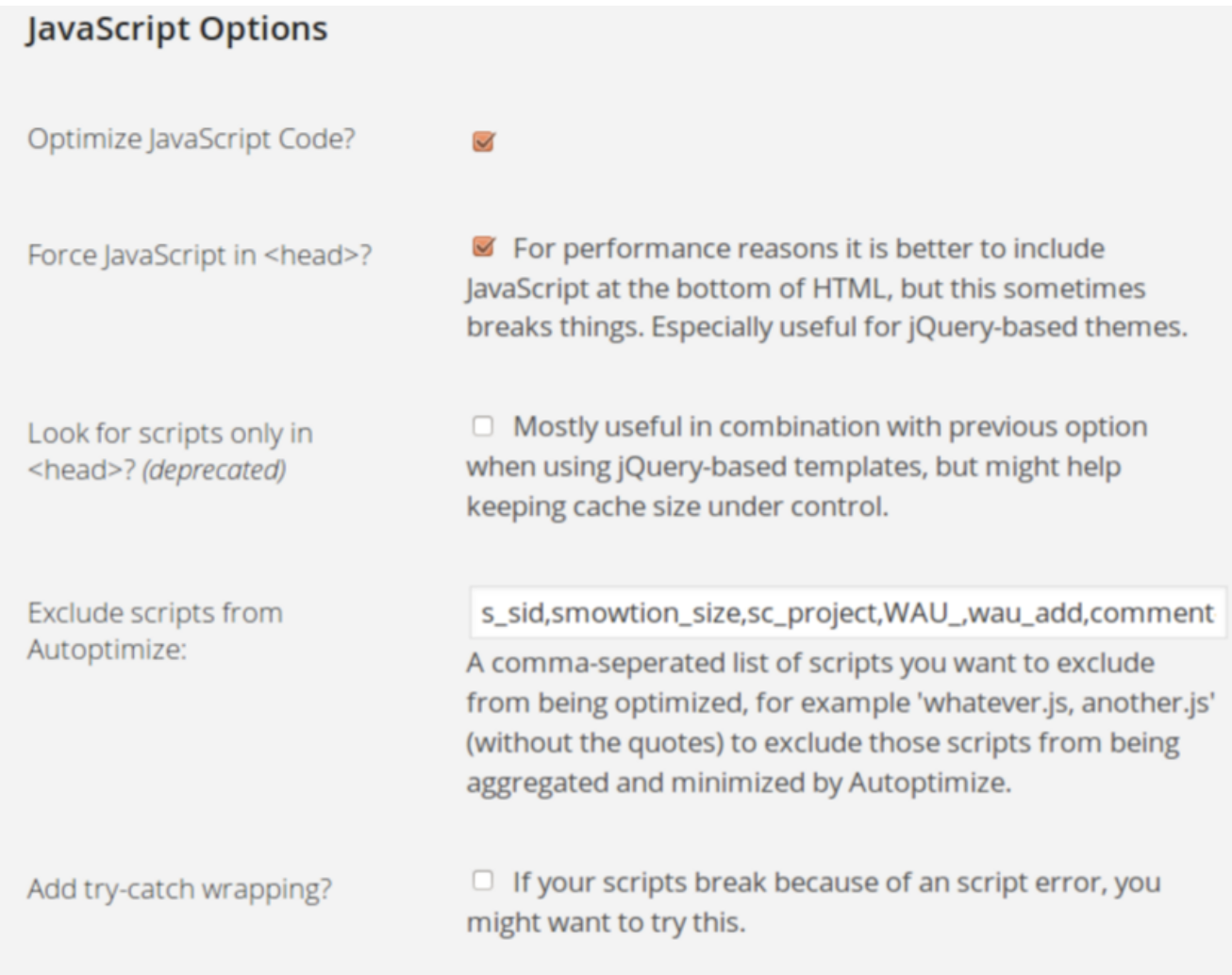
This plugin aggregates and caches (a.k.a. stores) scripts and styles, which enhance your site's overall performance. Autoptimize also has extensive API available so you can tailor the plugin to your website's needs.

These are only 25 of the thousands of WordPress plugins available to marketers. WordPress plugins can help you improve your site, whether it's speeding up your page load time, improving your site's functionality, or tracking metrics. These powerful tools are often free, have features tailored to individuals and businesses of all sizes, and are fairly easy to use. Give a plugin or two a try and see how much it enhances your day-to-day WordPress experience — and your business.

Wordpress Plugin HubSpot

How to Use Pinterest Advertising to Promote Products and Attract Customers

Pinterest is often undervalued by social media marketers, and considered an unnecessary component of a marketing strategy -- unfortunately, if this is true for your team, you could be missing out on a major source of traffic and income.

Pinterest offers plenty of unique opportunities for marketers to reach leads and influence consumer purchasing behavior. In fact, 72% of Pinners use Pinterest to decide what to buy offline.

Pins have a much longer lifespan than Tweets or Instagram posts, making them a particularly powerful asset. Pins can show up in a user's feed months after initially posted.

If your content is engaging and valuable, it can be re-pinned again and again to different users' boards and continue to drive consumers back to your website.

All of which is to say -- a paid advertising strategy for Pinterest isn't such a bad idea, and could help bolster your organic presence by gaining traction with potential buyers, and improving brand recognition.

If you're interested in exploring how Pinterest advertising can help you attract customers, keep reading.

Pinterest Advertising

With over 250 million users, Pinterest is a great place for businesses to advertise products.

If you're creating ads on Pinterest, there is a large potential reach for each of your ads -- and, best of all, users are also actively searching the site for products like yours to buy.

90% of Pinterest users say Pinterest helps them decide what to purchase -- meaning your Pinterest ads, or Promoted Pins, are being shown to a remarkably responsive audience.

Pinterest Promoted Pins

There are a few ways to promote your content on Pinterest. To determine which ad format is best for your business, it's important to know the goals of your campaign and the attributes of each Pinterest promotion format.

1. Promoted Pins

At first glance, Promoted Pins look and act just like a regular static Pin, but they have a small "Promoted" label to set them apart. Promoted Pins are boosted and targeted to reach more people. Users can even Pin your Promoted Pins to their boards, share them, and comment on them.

Once a user shares a Promoted Pin, the "Promoted" label disappears, and subsequent re-pins are considered earned media -- meaning, after the first pin, organic exposure to the content is free.

Here are some guidelines to follow when creating a Promoted Pin advertisement:

  1. The file has to be PNG or JPEG.
  2. Your content cannot go over 10 MB.
  3. There is a description copy limit of 500 characters.
  4. Your aspect ratio must be 2:3 and should be vertically oriented.

2. Promoted Video Pins

Promoted Video Pins are exactly like Promoted Pins -- except the static image is replaced with a video.

90% of customers say video helps them make buying decisions, and that same percentage of weekly Pinterest users are on the platform to make purchasing decisions. Therefore, Pinterest and video advertising go hand-in-hand.

Pinterest offers two options for video sizing: max width, or standard. Standard videos are the same size as regular Pins and cost less than a max width Pin, which spreads across a user's entire feed.

No matter what size you choose, Pinterest videos auto-play once they're 50 percent in view. Plus, the Promoted Video Pins have a conversion optimization option to better serve advertisers with traffic or conversion goals. This new option brings the user to a landing page on the advertiser's website, as well as a close-up of the video.

Here are some guidelines to follow when creating a Promoted Video Pin advertisement:

  1. The file has to be either an MP4 or MOV.
  2. Your video cannot exceed 2 GB.
  3. The video must meet a minimum of four seconds, and cannot go over 30 minutes.
  4. Your aspect ratio must fall between 1:91:1 and 1:2.
  5. There is a description copy limit of 500 characters.
  6. Make sure to create video that's not dependent on audio for greater accessibility and those who scroll with sound off.

3. Promoted Carousels

Promoted Carousels contain up to five images that users can swipe through. Carousels are used to give a deeper brand story within one Pin.

This feature behaves the same as other Pins, except it will have dots beneath the images that signal additional content. Each carousel image can be different and have a different title, description, and link to another landing page.

Here are some guidelines to follow when creating a Promoted Carousel advertisement:

  • File type: PNG or JPEG
  • Ideal aspect ratio: 1:1 or 2:3
  • File size: Max 10 MB
  • Title copy: Max 100 characters
  • Description copy: Max 500 characters

4. Promoted App Pins

Promoted App Pins are mobile-only advertisements that allow users to download your app directly from Pinterest. Since 80 percent of Pinterest traffic comes from mobile devices, these ads are a perfect way to meet your audience where they are.

Available on iOS and Android devices, these ads include an "Install" CTA that allows for a seamless transition from Pinterest to your app.

While most of the guidelines remain the same for these Pins, your copy, image, or video should convey important attributes about your app.

1. Choose your campaign objective.

Each of your Pinterest campaigns starts with an objective. Choosing your campaign goal is what determines what ad formats are available to you. There are three categories to choose from -- Build Awareness, Drive Consideration, and Conversions.

Conversion optimization is a new campaign objective that optimizes your advertisements for specific actions outside of clicks. Now, advertisers have a way to directly inspire people to take action -- like leading a user to an online checkout or newsletter sign-up with no extra steps.

If you want people to discover your business, choose Brand awareness for standard Pins or Video views for Promoted Video Pins as your campaign objective. For these two objectives, you can set a maximum cost for every 1,000 impressions your ad receives.

If your Pinterest goals are to drive qualified leads to your website or improve traffic, choose Traffic or App install for your campaign objective.

For these campaigns, you set a maximum cost-per-click -- which means you are only charged when people click through your Promoted Pin to visit your website.

2. Set your campaign budget.

If you want to spend your campaign money evenly over a specific time period, select lifetime. Select daily to choose the amount spent each day. You'll have to automatically adjust the budgets based on how long you want your ad to deliver.

Next, you'll set a maximum bid. A bid determines the highest amount of money you'd like to pay for an action, like an engagement or click, on Pinterest. Pinterest will recommend an amount for you depending on your target audience, and what competitors are spending.

Make sure your budget for Pinterest ads reflect your overall marketing goals and the importance of the platform for your business.

3. Maximize your SEO efforts.

By adding an interest and keywords to your descriptions, they become more relevant to people who are actively searching for that content. Keep in mind that hashtags don't add any ranking value.

On Pinterest, categories of interest are already sorted and categorized. You should explore the available topics that are relevant to your business and target those queries -- if you need inspiration, check out the seven categories that do exceptionally well on Pinterest.

Your boards also provide an opportunity for SEO. Boards inform Pinterest’s search engine on how to categorize your Pins, which improves visibility. Focusing on both will support your SEO efforts.

4. Choose your target audience.

Targeting allows you to reach people who are searching for your content and who are ready to actively engage. Targeting is an important part of promoted ads because, without it, you'll have less interest.

Pinterest has six targeting options that you can use singularly or combine together for a unique targeting approach.

  • Audiences combine your customer knowledge with behavioral insights from Pinterest. If someone has recently bought something from your site or engaged with your Pinterest content, this allows you to target that person for an ad.
  • Keywords show your ad to someone who is searching for that kind of content. If you set specific keywords like "tropical vacation" or "apple pie recipes", your ads will target people searching for those things.
  • Interests target people based on the types of content they regularly engage with. Your apple pie recipe ads would most likely be served to people who have an interest in baking or preparing for Thanksgiving.
  • Expanded will provide you with additional interest and keywords based on your ad's content and who you're trying to reach.
  • Demographics allows you to select a specific location, language, device, or gender.
  • Placements gives you the option to choose where your ad is delivered. If you don't want your promoted Pins to show up when someone is browsing, and only appear in search results, you can specify that here.

5. Add value.

Endless product promotions on a Pinterest feed aren't the best way to get an audience's attention -- and keep it. More than likely, you'll just become a disruption and get unfollowed. You have to add value to every touchpoint with your customer for them to engage with your content.

To add value on Pinterest, try adding Pins that your audience will want to engage with that don't include your product or business. You might offer added value by showcasing services or interests that compliment your own.

For example, if you sell cars, share content about upkeep or car accessories. Alternatively, if you're running a Pinterest page for a coffee shop, try Pinning playlist ideas for people to listen to while they work. There is plenty of content available to curate for your audience's benefit.

6. Mix up your content.

If you're busy targeting your content to a persona, you'll miss out on the organic connections and interests of your audience. While helpful for first steps, personas don't give you everything you need to know about the people who are interacting with your ads.

Keep your content seasonal and relevant. Yes, it is good to make evergreen content -- but don't miss out on pop culture or holiday opportunities to spark interest. In fact, research has shown Pins featuring holiday copy or images have a 22% increase in online sales.

7. Monitor campaign performance

Finally, you need to keep an eye on your campaign performance to determine the success of your ads, or why they didn't perform as you expected.

When you're in Pinterest Ads Manager, click on Analytics and you'll be shown an overview of all your campaigns and key metrics. These metrics include impressions, total clicks, earned cost-per-impression, effective cost-per-click, and more.

Every campaign has the opportunity to increase brand awareness or inspire purchases. After looking at your analytics, you can determine whether or not you need to widen your audience, increase your budget, or try a different ad format. Pinterest advertisements are not an exact science, so experiments are key to being successful on the platform.

Sunday, April 21, 2019

6 SMART Goal Examples That'll Make You a Better Marketer

When I was 14, my dream was to play college baseball. But I had one small problem: I only weighed 100 pounds. And even though I still had four years to bulk up and improve my skills, I knew I had a long way to go. Fortunately, my coach always knew how to give me opportunities to shoot for that kept my drive alive.

I think of SMART goals like my former baseball coach.

After a grueling practice or workout, he would harp on how the long term is just a series of short terms. And to hammer that mentality into our heads, he would make us write down our off-season training goals every year. But he didn't just accept the first draft of your goal sheet. He never did. He would make you edit it until you knew exactly what your goals were and how you were going to achieve them.Download your free marketing goal-setting template here. 

Setting a goal like "improve upper body strength" and planning to lift weights three times a week wasn't enough. You had to write down how much you would improve your bench press by and how many times you would work out your upper body per week.

Every year, I set concrete off-season training goals, and since I had a plan and clear direction, I always achieved them. By the time I was a senior in high school, I had gained 70 pounds of muscle and earned a baseball scholarship.

When I first learned about SMART goals, I had an epiphany. I realized the reason why I could keep improving my athleticism in high school was because my coach made me set SMART goals. And the reason why successful marketing teams always hit their numbers is because they also set SMART goals.

The thing I love about sports is the life lessons you learn playing them directly apply to your career. Setting SMART goals not only helps you get better at baseball, but it also makes you a better marketer.

Read on to learn exactly what a SMART goal is and how you can set one today.

How to Write Smart Goals

The "SMART" acronym stands for "specific," "measurable," "attainable," "relevant," and "time-bound." Each SMART goal you create should have these five characteristics to ensure the goal can be reached and benefits the employee. Find out what each characteristic means below, and how to write a SMART goal that exemplifies them.

Specific

SMART goals are "specific" in that there's a hard and fast destination the employee is trying to reach. "Get better at my job," isn't a SMART goal because it isn't specific. Instead, ask yourself: What are you getting better at? How much better do you want to get?

If you're a marketing professional, for example, your job probably revolves around key performance indicators, or KPIs. Therefore, you might choose a particular KPI or metric you want to improve on -- like visitors, leads, or customers. You should also identify the team members working toward this goal, the resources they have, and their plan of action.

In practice, a specific SMART goal might say, "Clifford and Braden will increase the blog's traffic from email ..." You know exactly who's involved and what you're trying to improve on.

Measurable

SMART goals should be "measurable" in that you can track and quantify the goal's progress. "Increase the blog's traffic from email," by itself, isn't a SMART goal because you can't measure the increase. Instead, ask yourself: How much email marketing traffic should you strive for?

If you want to gauge your team's progress, you need to quantify your goals, like achieving an X-percentage increase in visitors, leads, or customers.

Let's build on the SMART goal we started three paragraphs above. Now, our measurable SMART goal might say, "Clifford and Braden will increase the blog's traffic from email by 25% more sessions per month ... " You know what you're increasing, and by how much.

Attainable

An "attainable" SMART goal considers the employee's ability to achieve it. Make sure that X-percentage increase is rooted in reality. If your blog traffic increased by 5% last month, for example, try to increase it by 8-10% this month, rather than a lofty 25%.

It's crucial to base your goals off of your own analytics, not industry benchmarks, or else you might bite off more than you can chew. So, let's add some "attainability" to the SMART goal we created earlier in this blog post: "Clifford and Braden will increase the blog's traffic from email by 8-10% more sessions per month ... " This way, you're not setting yourself up to fail.

Relevant

SMART goals that are "relevant" relate to your company's overall business goals and account for current trends in your industry. For instance, will growing your traffic from email lead to more revenue? And is it actually possible for you to significantly boost your blog's email traffic given your current email marketing campaigns?

If you're aware of these factors, you'll be more likely to set goals that benefit your company -- not just you or your department.

So, what does that do to our SMART goal? It might encourage you to adjust the metric you're using to track the goal's progress. For example, maybe your business has historically relies on organic traffic for generating leads and revenue, and research suggests you can generate more qualified leads this way. Our SMART goal might instead say, "Clifford and Braden will increase the blog's organic traffic by 8-10% more sessions per month." This way, your traffic increase is aligned with the business's revenue stream.

Time-bound

A "time-bound" SMART goal keeps you on schedule. Improving on a goal is great, but not if it takes too long. Attaching deadlines to your goals puts a healthy dose of pressure on your team to accomplish them. This helps you make consistent and significant progress in the long term.

For example, which would you prefer: increasing organic traffic by 5% every month, leading to a 30-35% increase in half a year? Or trying to increase traffic by 15% with no deadline and achieving that goal in the same time frame? If you picked the former, you're right.

So, what does our SMART goal look like once we bound it to a timeframe? "Over the next three months, Clifford and Braden will work to increase the blog's organic traffic by 8-10%, reaching a total of 50,000 organic sessions by the end of August.

If you want a more concrete understanding of SMART goals, check out the examples below. You can always revisit this blog post and reference them when it's time to set your goals.

6 SMART Goal Examples That'll Make You a Better Marketer

1. Blog Traffic Goal

Specific: I want to boost our blog's traffic by increasing our weekly publishing frequency from 5 to 8 times a week. Our two bloggers will increase their workload from writing 2 posts a week to 3 posts a week, and our editor will increase her workload from writing 1 post a week to 2 posts a week.

Measureable: An 8% increase is our goal.

Attainable: Our blog traffic increased by 5% last month when we increased our weekly publishing frequency from 3 to 5 times a week.

Relevant: By increasing blog traffic, we'll boost brand awareness and generate more leads, giving sales more opportunities to close.

Time-Bound: End of this month

SMART Goal: At the end of this month, our blog will see an 8% lift in traffic by increasing our weekly publishing frequency from 5 posts per week to 8 post per week.

2. Facebook Video Views Goal

Specific: I want to boost our average views per native video by cutting our video content mix from 8 topics to our 5 most popular topics.

Measurable: A 25% increase is our goal.

Attainable: When we cut down our video content mix on Facebook from 10 topics to our 8 most popular topics six months ago, our average views per native video increased by 20%.

Relevant: By increasing average views per native video on Facebook, we'll boost our social media following and brand awareness, reaching more potential customers with our video content.

Time-Bound: In 6 months.

SMART Goal: In 6 months, we'll see a 25% increase in average video views per native video on Facebook by cutting our video content mix from 8 topics to our 5 most popular topics.

3. Email Subscription Goal

Specific: I want to boost the number of our email blog subscribers by increasing our Facebook advertising budget on blog posts that historically acquire the most email subscribers.

Measurable: A 50% increase is our goal.

Attainable: Since we started using this tactic three months ago, our email blog subscriptions have increased by 40%.

Relevant: By increasing the number of our email blog subscribers, our blog will drive more traffic, boost brand awareness, and drive more leads to our sales team.

Time-Bound: In 3 months.

SMART Goal: In 3 months, we'll see a 50% increase in the number of our email blog subscribers by increasing our Facebook advertising budget on posts that historically acquire the most blog subscribers.

4. Webinar Sign-up Goal

Specific: I want to increase the number of sign-ups for our Facebook Messenger webinar by promoting it through social, email, our blog, and Facebook Messenger.

Measurable: A 15% increase is our goal.

Attainable: Our last Facebook messenger webinar saw a 10% increase in sign-ups when we only promoted it through social, email, and our blog.

Relevant: When our webinars generate more leads, sales has more opportunities to close.

Time-Bound: By April 10, the day of the webinar.

SMART Goal: By April 10, the day of our webinar, we'll see a 15% increase in sign-ups by promoting it through social, email, our blog, and Facebook messenger.

5. Landing Page Performance Goal

Specific: I want our landing pages to generate more leads by switching from a one column form to a two column form.

Measurable: A 30% increase is our goal.

Attainable: When we A/B tested our traditional one column form vs. a two column form on our highest traffic landing pages, we discovered that two column forms convert 27% better than our traditional one column forms, at a 99% significance level.

Relevant: If we generate more content leads, sales can close more customers.

Time-Bound: One year from now.

SMART Goal: One year from now, our landing pages will generate 30% more leads by switching their forms from one-column to two columns.

6. Link-Building Strategy Goal

Specific: I want to increase our website's organic traffic by developing a link-building strategy that gets other publishers to link to our website. This increases our ranking in search engine results, allowing us to generate more organic traffic.

Measurable: 40 backlinks to our company homepage is our goal.

Attainable: According to our SEO analysis tool, there are currently 500 low-quality links directing to our homepage from elsewhere on the internet. Given the number of partnerships we currently have with other businesses, and that we generate 10 new inbound links per month without any outreach on our part, an additional 40 inbound links from a single link-building campaign is a significant but feasible target.

Relevant: Organic traffic is our top source of new leads, and backlinks is one of the biggest ranking factors on search engines like Google. If we build links from high-quality publications, our organic ranking increases, boosting our traffic and leads as a result.

Time-Bound: 4 months from now.

SMART Goal: Over the next four months, I will build 40 additional backlinks that direct to www.ourcompany.com. To do so, I will collaborate with Ellie and Andrew from our PR department to connect with publishers and develop an effective outreach strategy.

free marketing goal setting template

free marketing goal-setting template

Friday, April 19, 2019

The Plain-English Guide to Progressive Web Apps

Whether it’s in sports, music, or business, rivalries always seem to make things more interesting. By allowing people to pick a side, rivalries make them feel like they truly belong to a tribe, which is a primal human need. Rivalries also push competitors to constantly outperform each other and, in turn, provide their target market with an ever-enhancing customer experience.

But imagine if some of the world’s fiercest rivals put their differences aside and teamed up to assemble the best product or service on the market. Could you imagine how electric an NSYNC-Backstreet Boys concert would be? Or the sheer power of a Microsoft-Apple supercomputer?

In the digital age, you could say mobile websites and apps are rivals. Brands developed mobile apps to phase out the use of their fast yet janky mobile websites when the demand for mobile devices exploded. Unfortunately, they soon discovered that mobile apps are quite sluggish and require more steps to access than mobile websites, like finding and downloading them from the app store.

To develop an app that offers the speed of a mobile website and the user experience of a mobile app, Google decided to end the rivalry between mobile websites and apps and blended their best functionalities together, birthing the progressive web app in 2015.

1. Uber

Uber's progressive web application

Image Credit: SimiCart

To provide their users who use low-end mobile devices with a similar web experience as their mobile app, Uber built a progressive web app that works on 2G networks. So regardless of your network speed, device, and even location, you can use Uber’s PWA to book a ride, which is especially helpful if you’re in a location with spotty service or your phone isn’t compatible with their mobile app.

2. Starbucks

Starbucks' progressive web application

Image Credit: SimiCart

Starbucks’ progressive web app is quite similar to its native mobile app, but the biggest difference between the two is that their PWA takes up significantly less space than their native mobile app and it works offline. When you’re offline, you can use their PWA to browse their menu, customize your orders, and add items to your cart. When you’re online, you can check each store location’s prices and place orders.

3. 2048

2048's progressive web application

Image Credit: SimiCart

There’s arguably no other game as addicting as 2048. When it was released in 2014, the video game attracted over 10 million unique visitors in its first month, and when it was rolled out as a mobile app, it attracted even more downloads. When you play 2048 on its progressive web application, it looks and feels just like its mobile app, but its main differentiator is that you can play the game both online and offline.

4. Pinterest

Pinterest's progressive web application

Image Credit: SimiCart

When Pinterest discovered that only 1% of their mobile users converted into sign-ups, logins, or native app installs because of their app’s poor user experience (a 23 second load time), they reconstructed their mobile app into a progressive web application. Within three months, their PWA saw a 40% increase in time spent over five minutes, a 44% increase in user-generated ad revenue, and a 50% increase in ad click-throughs compared to their old mobile app.

5. Housing.com

Housing.com's progressive web application

Image Credit: SimiCart

Housing.com is India’s main online real estate platform, attracting over 9 million visits per month. The majority of their target audience uses low-end mobile devices that have maximum network speeds of 2G or 3G, so to cater to their users and boost their conversion rates, they built a progressive web app that users can quickly find property on even when they’re offline.

What Are Email Whitelists, & How Do You Get On Them

A few weeks ago, I planned a trip to Charlotte. I booked my flights, and the day before I was supposed to leave, I tried to find my confirmation email.

I couldn't find it anywhere. Panicking, I called the airline. "Ma'am, your payment was denied. We emailed you about this."

Very quickly, I learned the importance of email whitelists.

Fortunately, I was able to book another flight. However, this didn't save me from the stress or frustration I felt at the airline for being unable to contact me any other way.

At the end of the day, you don't want a similar experience to happen to your customers. And, as a marketer, nothing is more frustrating than realizing your email marketing tactics, meant to engage and delight new prospects, aren't working simply because they aren't being delivered to your prospects' inboxes.

Here, we'll explain what email whitelists are, and how you can ensure your company is on the whitelists of your email recipients.

Click here to download our free beginner's guide to email marketing.

How To Get On Your Email Subscribers' Whitelists

To get on your email subscribers' whitelists, you can ask your subscribers to whitelist your email address.

There are a few different ways to ask subscribers to whitelist your email address. First, you might simply send the following message:

"To be sure our emails always make it to your inbox, please add us to your email whitelist."

To make it easier for your recipient, you might also want to incorporate steps to do so. To add someone to a whitelist, your subscriber simply needs to add you as a contact. To make the process simple, you can include instructions in your email, like this:

"To be sure our emails always make it to your inbox, please add us as a contact. If you have a Gmail account, follow these instructions. Alternatively, if you use Apple Mail, click here."

You can add instructions for any email provider, including Outlook, Yahoo, or Android -- this largely depends on the typical provider your recipients use.

However, perhaps you don't want to ask outright if recipients can add you to their whitelists. An alternative to the above message might simply be asking recipients to add you as a contact.

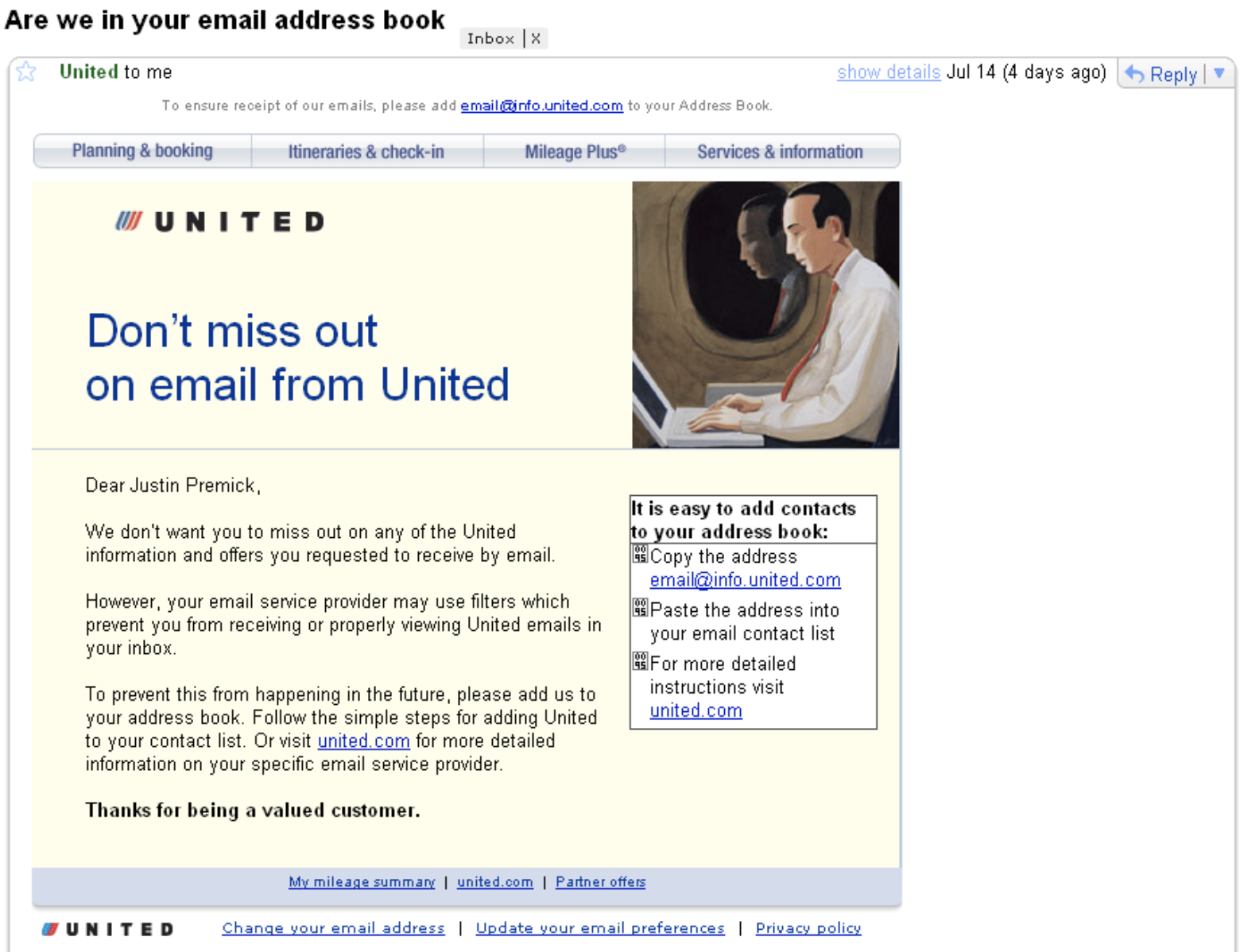
For instance, United Airlines sends the following message, asking recipients to add United to their contact list and explaining why it's critical they do so:

Image source: AWeber.

You might use your own flair and brand voice to craft a compelling email message. Ideally, you'd include this message in the first email you send new subscribers, since it might be frustrating for recipients who have already successfully received your emails in the past to randomly receive an email instructing them to add you to their contact list.

Additionally, you can help mitigate the possibility that your recipients' email providers mistake your emails as spam by following email marketing best practices.

Finally, if you're a HubSpot customer and your contacts aren't receiving marketing emails from your HubSpot account, there are several steps you can take to ensure your emails are delivered to your subscribers' inboxes.

New Call-to-action